Every day, sales reps, support agents, and marketing managers send hundreds of messages from inside their CRM. A typo in a client’s name, a grammar slip in a contract, or an inconsistent product term is a “professional red flag” that can quietly damage trust or cost a deal.
Yet most CRM platforms still don’t offer a reliable, always-on spell checker.
They offer something that looks like a solution: browser-level spellcheck, AI writing assistants, content generators. But browser checks break inside custom editors. AI tools rewrite your text on demand. And in regulated industries like fintech or healthcare, generative AI is often blocked by security policy entirely.
This article looks at how four major CRM platforms (HubSpot, Pipedrive, and Monday.com) handle spelling and grammar checking today, what third-party tools are available, and where WProofreader fits in as a deterministic, as-you-type alternative built for professional environments.
Why AI writing assistants are not spell checkers
Every major CRM platform has added an AI writing feature in the last two years. HubSpot launched Breeze AI, Monday.com introduced Monday AI, and Pipedrive rolled out its AI Sales Assistant. On the surface, these tools seem to cover the spelling and grammar problem. In practice, they solve a different problem entirely.
AI writing assistants are generative tools. They are designed to help users create and rewrite content: drafting emails from prompts, summarizing long threads, adjusting tone. To fix a grammar issue, a user must highlight a block of text and manually trigger a command. There is no always-on validation, no red underline appearing as you type, no immediate signal that something is wrong.
There is also a deeper issue with generative AI: it rewrites rather than corrects. When an AI tool “fixes” your grammar, it may change your phrasing, simplify your argument, or introduce wording you never intended. For technical B2B communication, legal teams, or compliance-sensitive industries, this is often unacceptable. You need to know that your text is correct, not that it has been replaced with something the model preferred.
Finally, in regulated industries such as fintech, healthcare SaaS, and enterprise B2B, generative AI tools are risky due to concerns about data being sent to external cloud services. Users in these environments often resort to browser extensions like Grammarly or LanguageTool as a workaround, only to find those are blocked too. The result is no adequate proofreading option at all.
Third-party spell check extensions for CRM platforms
HubSpot
HubSpot is not just a CRM. It is a full customer platform that includes: CRM, Marketing Hub, CMS Hub, Sales Hub and Service Hub.
This means text volume in HubSpot environments is significantly broader than in traditional CMS platforms. It includes marketing, sales, and support communication.
What does HubSpot use for spelling and grammar checking?
1. Native editor engine
HubSpot uses its own custom-built WYSIWYG editor across its various “Hubs” (Marketing, Sales, Service). Historically, it lacked a built-in sophisticated spellchecker, forcing users to rely entirely on native browser-level spellcheck (Chrome, Safari, etc.).
2. HubSpot AI (Breeze AI)
In 2024–2025, HubSpot introduced Breeze AI, its comprehensive AI evolution.
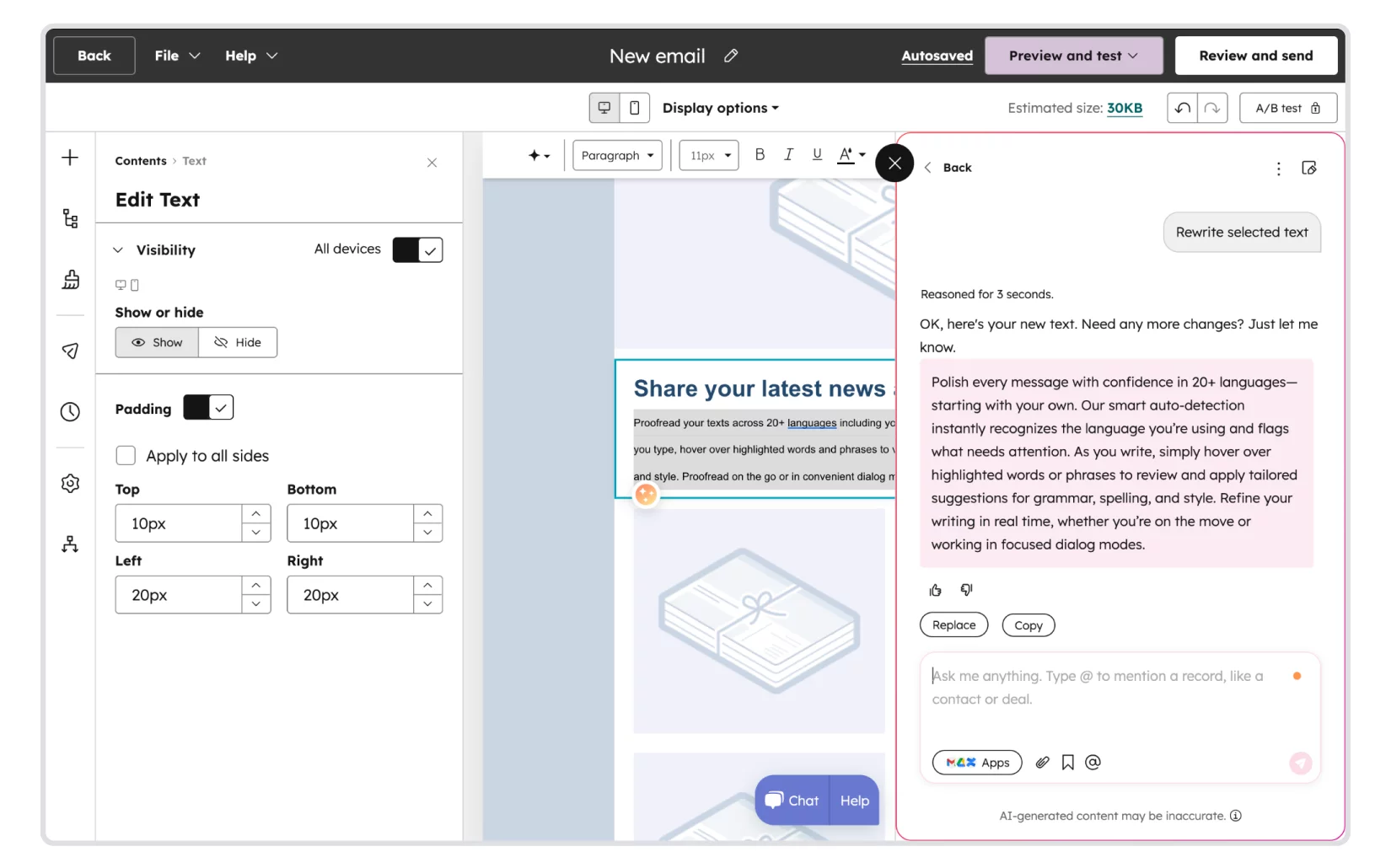
- Functionality: It allows users to rewrite text, change the tone of voice, and fix grammar/spelling errors upon request.
- Constraint: This is a generative approach. It requires the user to highlight text and manually select a command. It is not an “always-on” or “as-you-type” experience, which can be a friction point for high-volume content creators.
3. “The content assistant”
A tool embedded within the HubSpot ecosystem that helps generate ideas and refine drafts. However, like Notion AI, it is prone to hallucinations or over-simplification, which is often unacceptable for technical B2B industries or legal/compliance teams.
There are two official text checkers available on the HubSpot marketplace: Grammarly and Writer.com. However, both offer a non-native integration either via downloading a desktop application or installing an extension.
Alternatively, users can rely on third-party browser text checkers like WProofreader, however, they do not support all available fields.
Monday CRM
Monday.com is a cloud-based, visual work operating system (Work OS) designed to help teams plan, track, and manage projects, workflows, and daily tasks. It does not use a standard “off-the-shelf” library like CKEditor or TinyMCE in its current iteration. Instead, they have moved toward a highly customized architecture:
- Monday Workdocs (Quill.js based evolution): The core of their rich text experience (used in the CRM for long-form notes and documents) was originally built on top of Quill.js. However, it has been so heavily modified and “forked” by their engineering team that it is now considered a proprietary editor known as the Monday Docs Engine.
- The “Monday Canvas” approach: For smaller input fields (like item updates or CRM activity logs), they use a custom React-based implementation. This allows them to support “Magic” features like @mentions, item linking, and board integrations directly within the text flow.
- In their engineering blog, they discuss the challenges of “Building a collaborative editor from scratch,” highlighting that standard open-source libraries couldn’t handle their specific real-time collaboration and board-linking requirements.
Monday.com has a divided approach to text validation:
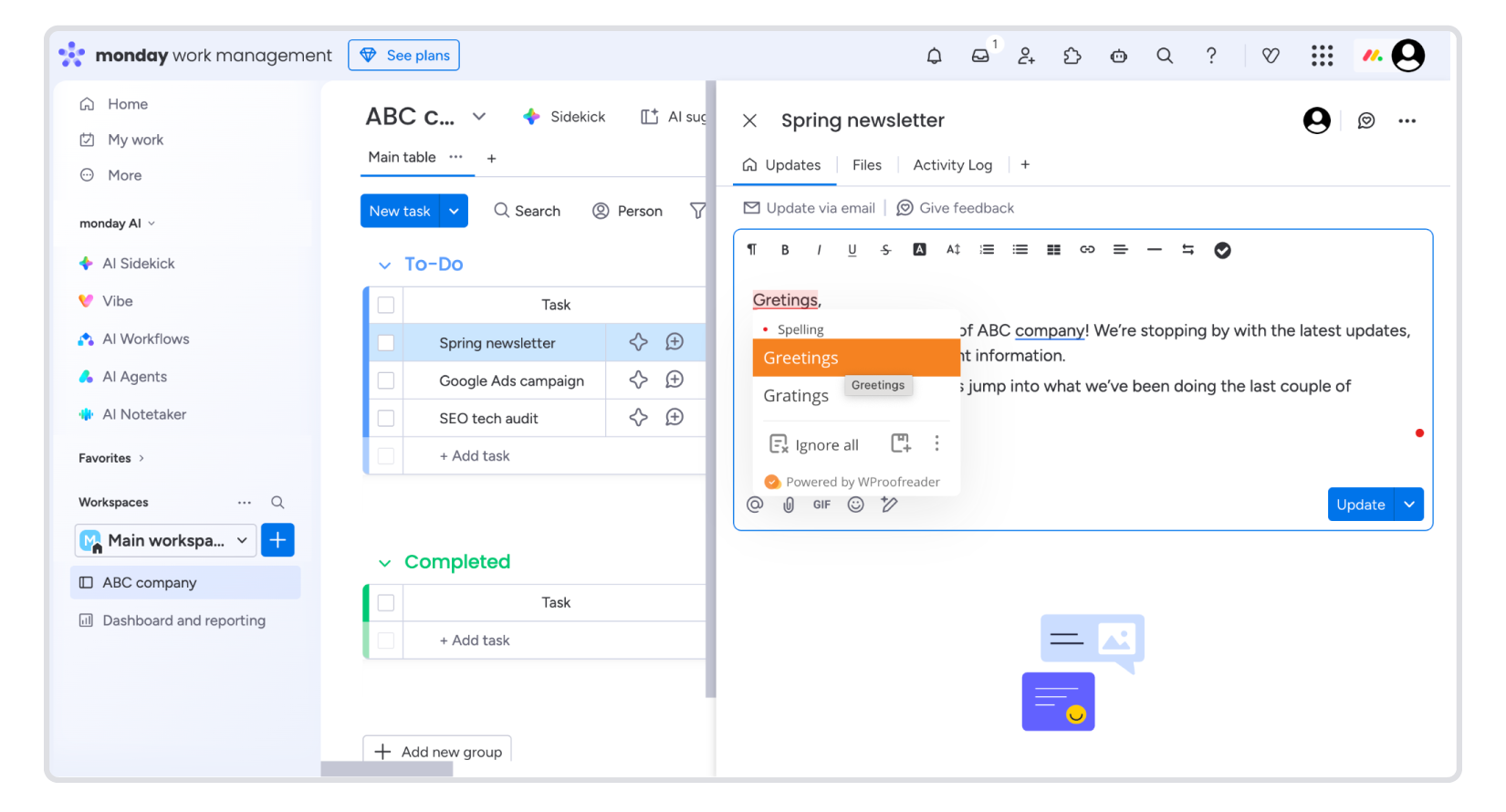
2.1. Native browser-level spellcheckBy default, Monday.com relies on the user’s browser engine. Many users report that this native check often breaks or is disabled within “Workdocs” because the editor’s complex DOM structure interferes with how browsers “see” the text.
2.2. Monday AI
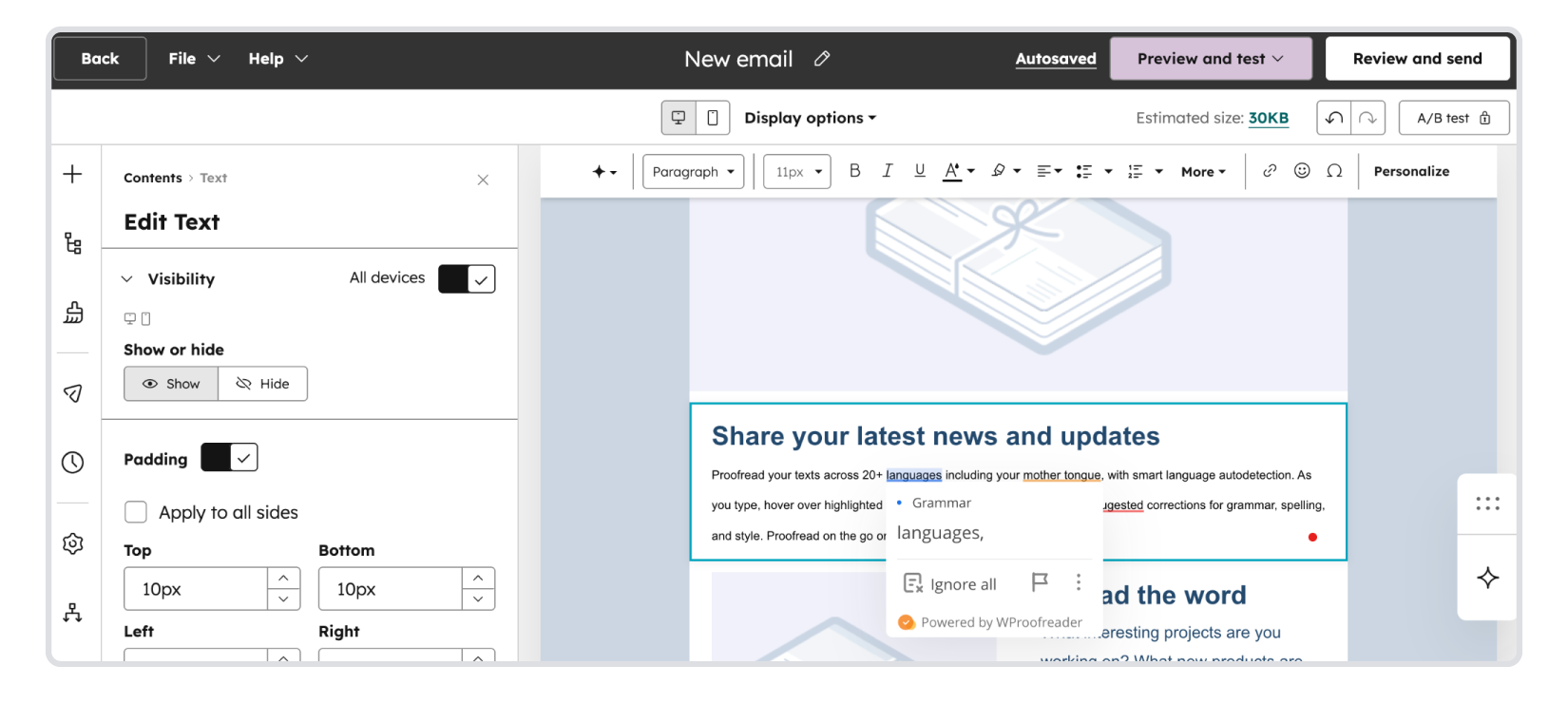
Monday.com recently introduced Monday AI. It can “Summarize,” “Edit for tone,” and “Fix grammar.” A user must manually highlight a block of text and click the “AI” icon to trigger a correction.
2.3. Third-party integrations (Grammarly/LanguageTool)
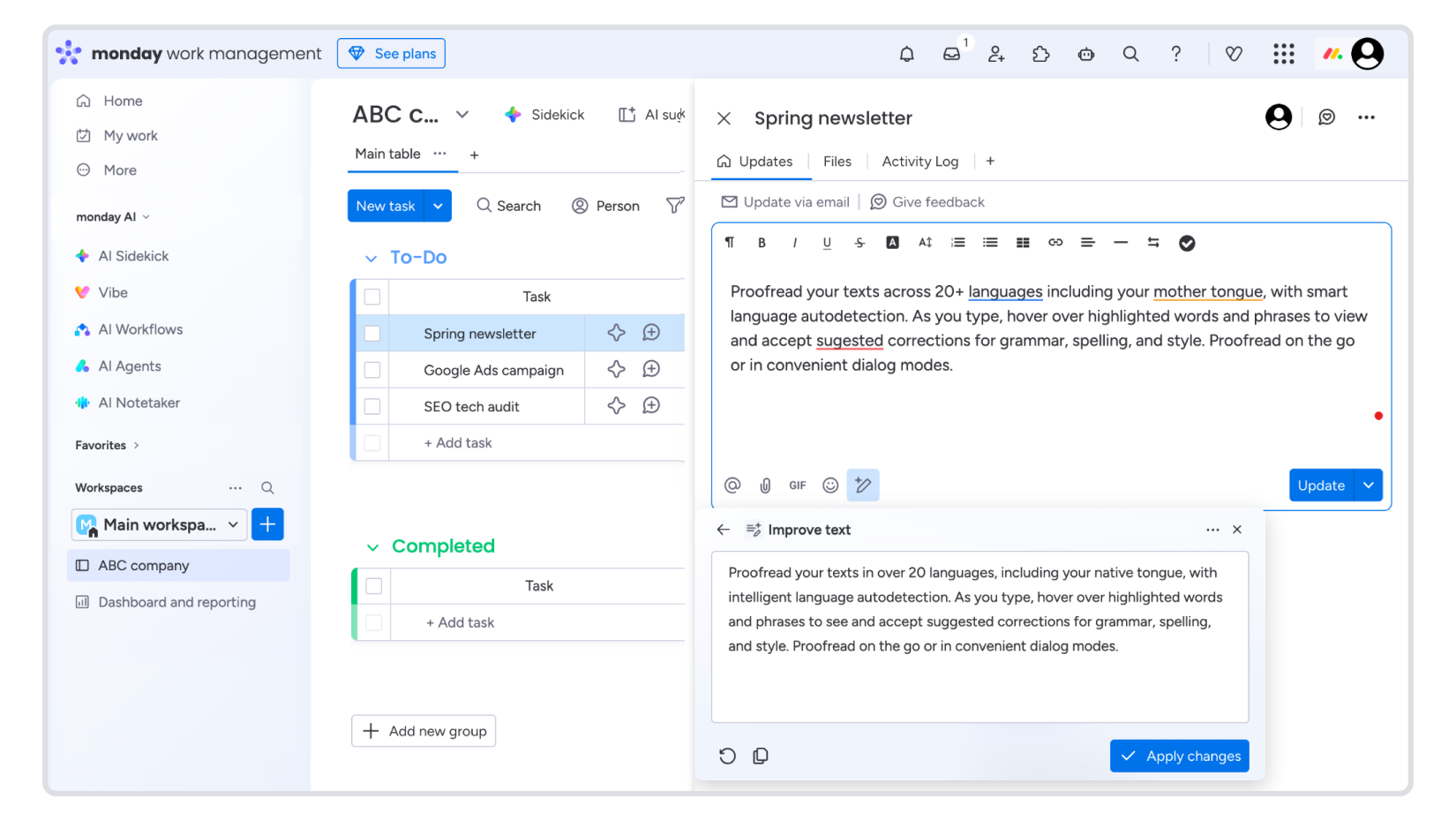
Because Monday’s editor uses a custom “shadow DOM” or complex nested structures, third-party extensions like WProofreader often struggle to place their underlines correctly or cause the cursor to “jump” during editing. However, they still support some of the fields.
Pipedrive
Pipedrive is a multinational cloud-based software as a service company, a developer of the web application and mobile app Pipedrive, a sales customer relationship management tool.
What does Pipedrive use for spelling and grammar checking?
2.1. Native browser support
Pipedrive does not have a built-in proprietary spellchecking engine. It relies entirely on the user’s browser to underline errors in text fields like “Notes,” “Activities,” and the “Email Sync” interface.
2.2. Pipedrive AI (Sales assistant)
Pipedrive has introduced AI features, but they are focused on data summarization and generation rather than real-time quality assurance:
- AI Email summaries: Summarizes long threads.
- AI Smart app: Helps draft emails based on prompts (generative). There is no as-you-type grammar or style validation. If a salesperson makes a manual typo in a generated draft, the AI won’t underline it in real-time.
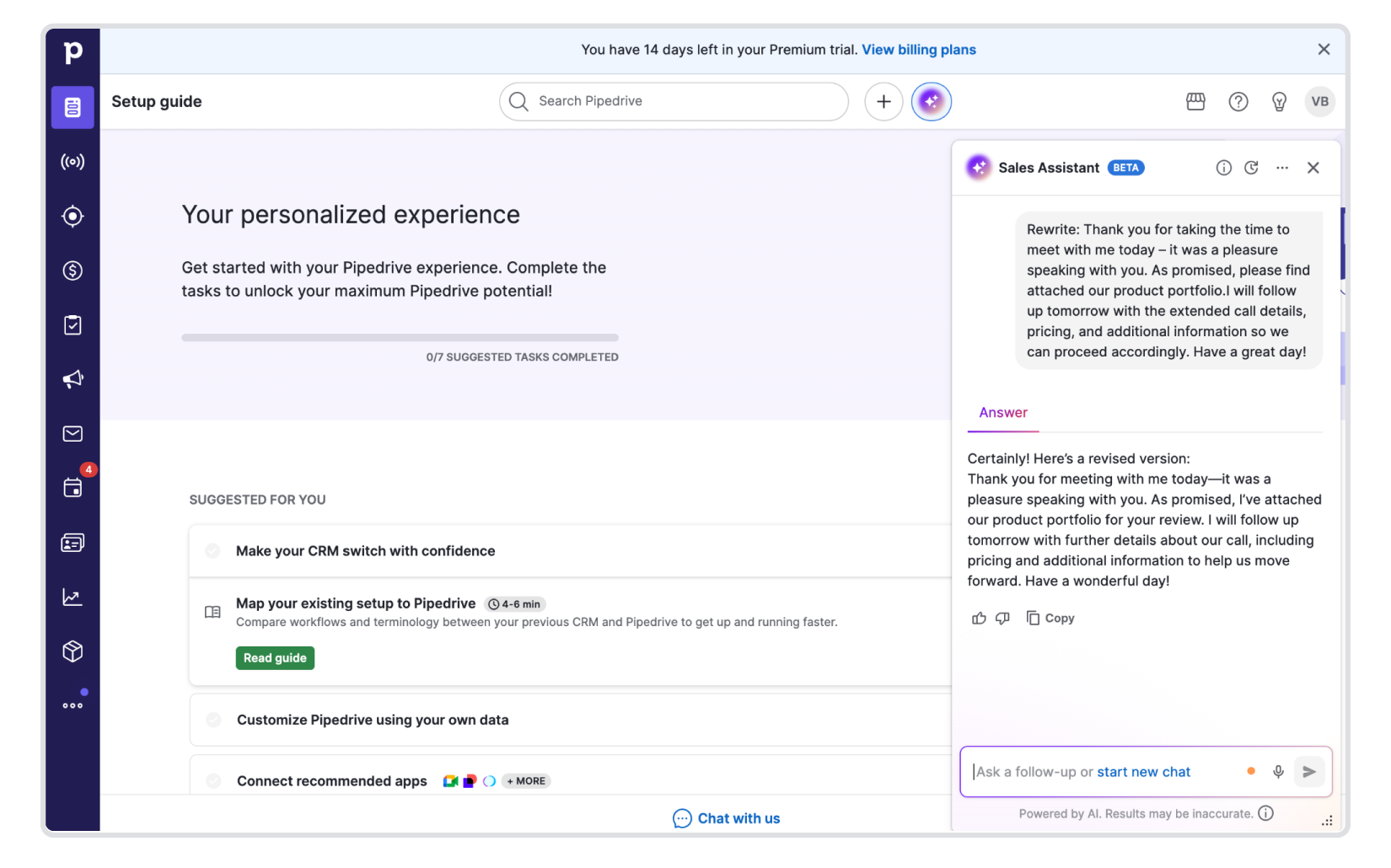
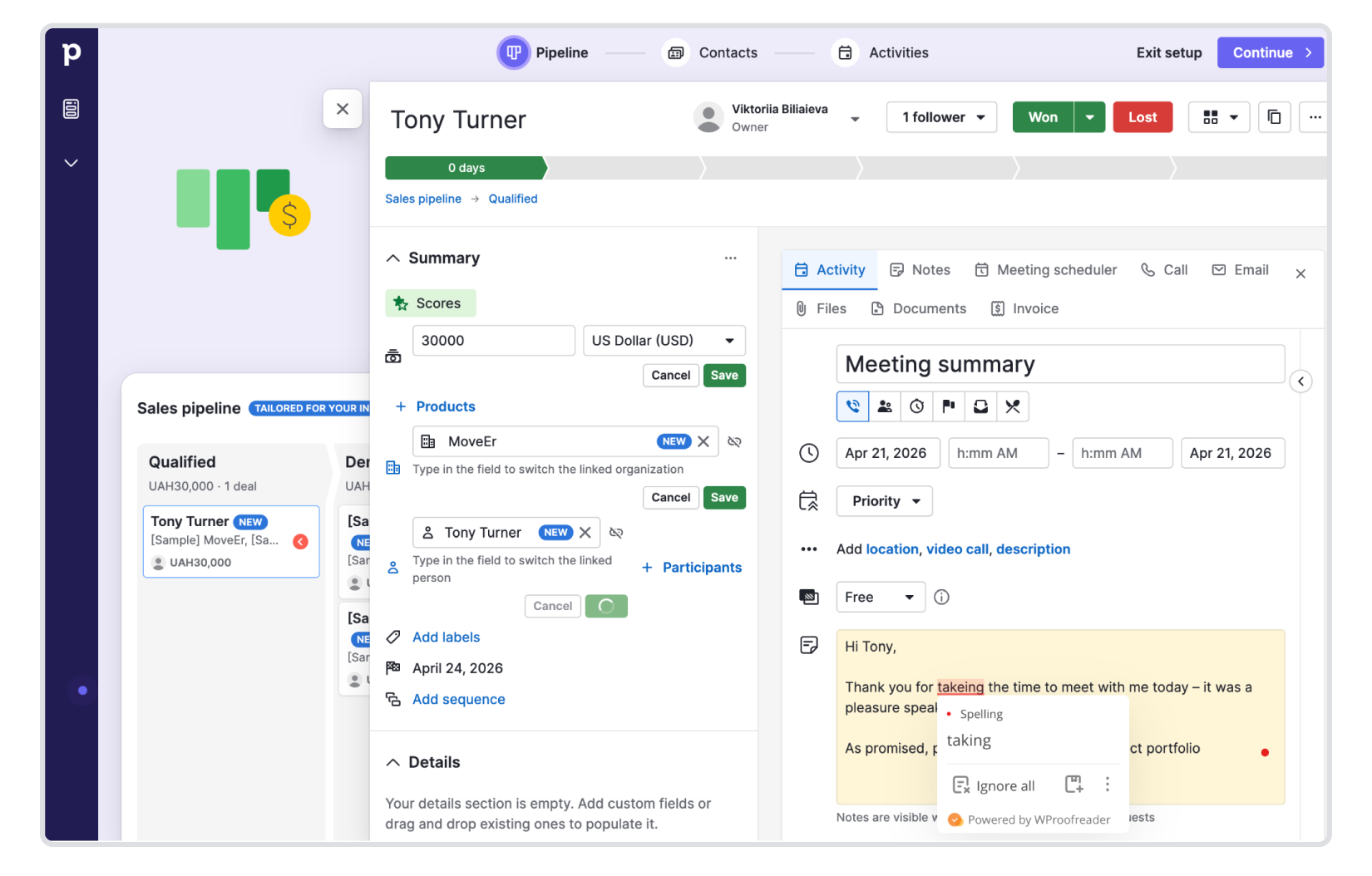
Pipedrive has a robust App marketplace, but there are no spell and grammar check apps represented. We’ve tested WProofreader in the Pipedrive environment and partially it bridges this gap.
WProofreader—deterministic, real-time spell checker for CRM
WProofreader is a proofreading tool that catches spelling and grammar mistakes as you type, across 20+ languages. It integrates directly with WYSIWYG editors and HTML editable controls, and comes with deployment options designed to keep sensitive data within your environment, which matters a great deal in CRM contexts where deal notes, client emails, and support tickets contain information you don’t want to travel to an external cloud.
There are two ways to use it depending on your setup:
WProofreader SDK is built for teams to embed proofreading directly into their product or platform. It works with TinyMCE, CKEditor, Froala, Quill, Syncfusion, Tiptap, and other popular WYSIWYG editors, as well as standard HTML controls. You connect it through a standalone API and control exactly where and how text gets checked. For CRM environments handling large content volumes or operating under strict data policies, the self-hosted deployment option keeps everything on your own infrastructure. Cloud deployment is also available for teams that prefer a fully managed setup.
WProofreader browser extension is a good fit for teams exploring how the tool works across different platforms before committing to a full SDK integration, or for individual users who need reliable text checking inside any web-based editor right now. It runs in the browser and works with any web-based CRM interface. The free plan processes text through a secure cloud; business plans add extended features and a self-hosted deployment option for stricter security requirements.
Both options include the full proofreading feature set—learn more.
How to integrate WProofreader with your CRM
We are currently working on deeper, native integrations with each of these platforms. This won’t be another overlay or sidebar sitting on top of your editor the way Grammarly, Writer, Linguix, or Sapling work today. The goal is something more embedded and purpose-built for how CRM teams actually write. Stay tuned for updates.
In the meantime, you can try the WProofreader browser extension. It works across a number of native text fields in each of these platforms, though coverage varies by platform and field type, so not every input is supported yet. It is a good way to get a feel for what real-time, inline proofreading looks like inside your CRM before the full integrations are ready.
Based on our research, here is what the development path looks like for each platform, based on their architecture.
HubSpot runs on a React frontend with a Java microservices backend. One important thing to know upfront: HubSpot CRM UI extensions run in a sandboxed environment with no DOM access, which means as-you-type inline checking cannot be injected through a Marketplace app. The practical path for HubSpot CRM today is the WProofreader browser extension, which operates at the browser level and works around this restriction. For HubSpot CMS (website pages, landing pages, blog), standard SDK integration is fully supported.
Pipedrive uses a custom WYSIWYG editor on its frontend. Integration is straightforward through Pipedrive’s App Extensions framework: WProofreader can be embedded into the Deal View or Contact View as a sidebar, or added as real-time underlining inside the native email composer.
Monday.com runs on React with a Node.js and Rails backend, built on a proprietary editor known as the Monday Docs Engine, originally forked from Quill.js. The recommended path is a Monday App Framework sidebar view built for Workdocs, where users can run a full document check when finishing a proposal or update.
On a side note
- Most major CRM platforms (HubSpot, Pipedrive, Monday.com) rely on browser-level spellcheck as their default, which regularly breaks inside custom editors and complex DOM structures.
- Every platform has introduced an AI writing assistant in recent years, but all of them require manual triggering and rewrite text rather than validate it. They are not spell checkers.
- Third-party extensions like Grammarly and LanguageTool work partially at best, but they don’t offer deep integrations to the CRM environments.
- The niche for professional, deterministic, inline proofreading remains largely unoccupied across all major CRM marketplaces.
- The WProofreader browser extension works in a number of native CRM text fields today and is available to try right now.
- Deeper, native integrations of WProofreader with HubSpot, Salesforce, Pipedrive, and Monday.com are in progress and will go further than what overlay-based tools currently offer. Stay tuned!

 Tech
Tech News
News