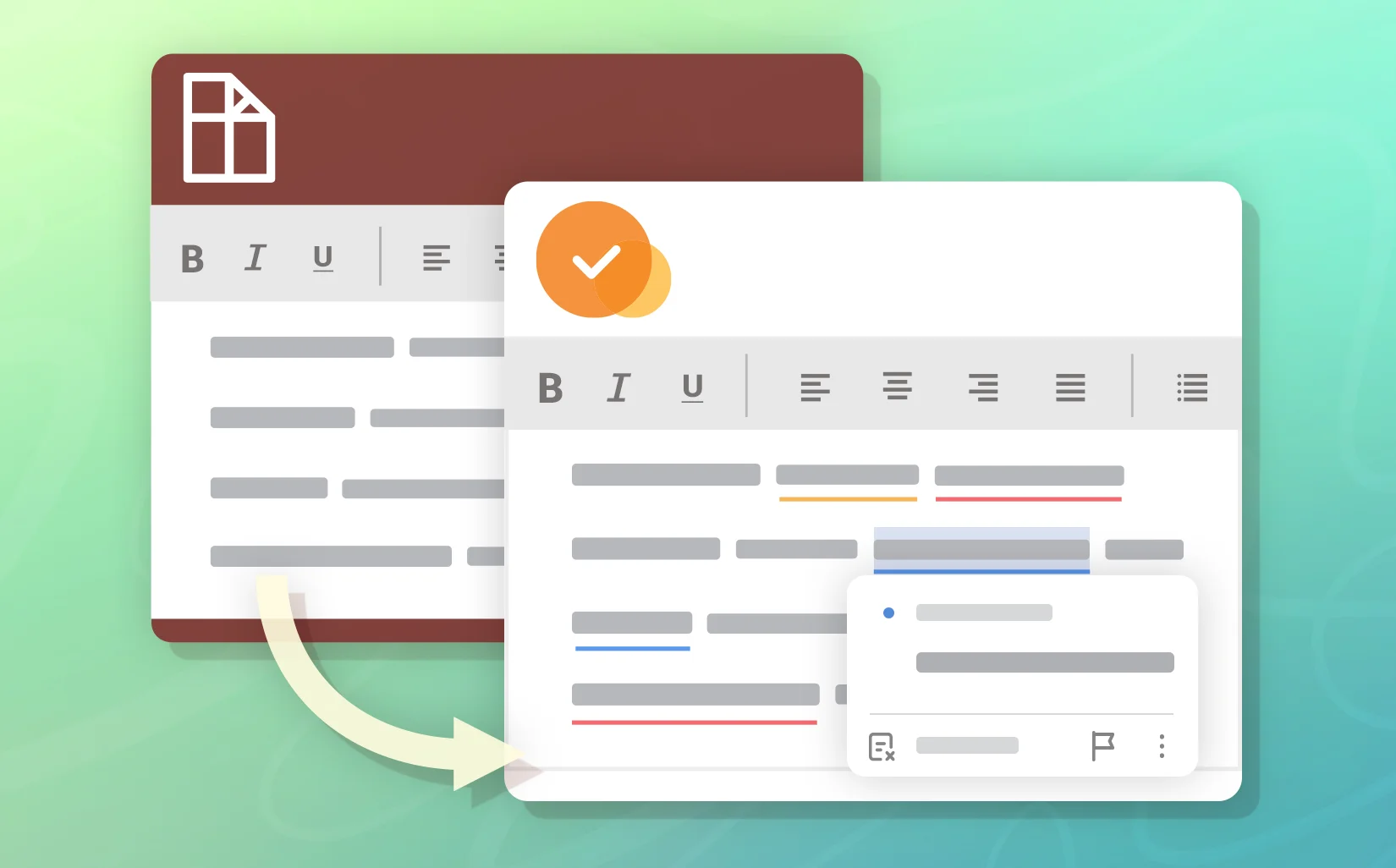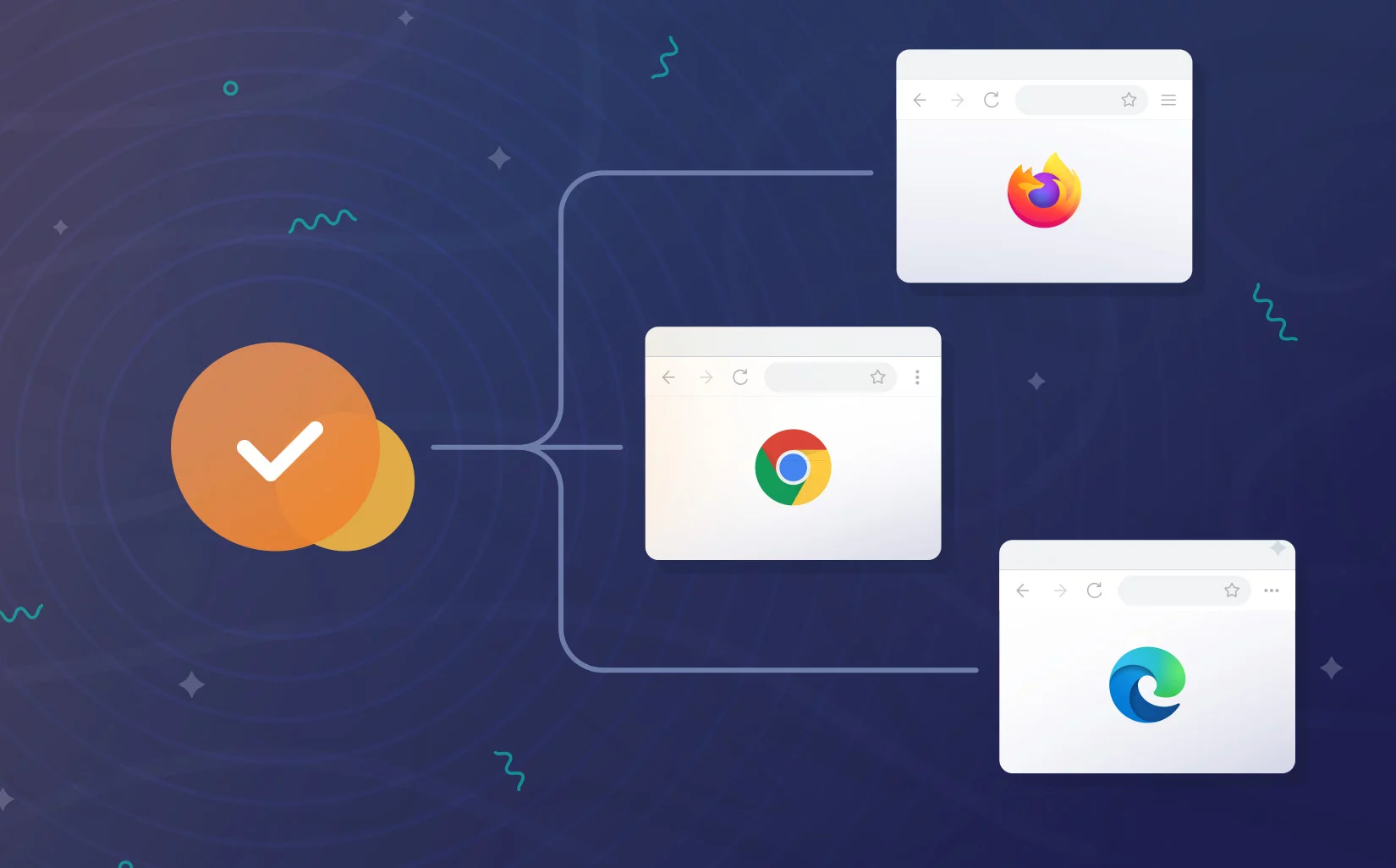
Web browsers have become core work environments for a wide range of organizations. Teams rely on them for emails, customer communication, social media management, internal communication and many other text-related tasks. When so much business communication happens directly in the browser, companies need tools they can trust to keep writing accurate and consistent. That’s why most major browsers now include built-in spellcheckers.
These built-in tools work fine for writing needs, but they quickly fall short when it comes to professional or team-level requirements.
Today, we’re going to find out when it actually makes sense to move from default browser spellcheckers to full-fledged professional spelling and grammar tools.
How web browser spell check actually works
Honestly, all the major browsers check spelling pretty much the same way. Each one relies on a large built-in dictionary, or in some cases, like Chrome’s enhanced mode, on AI-powered checks. The moment you finish typing a word and hit space or punctuation, the browser looks it up. If the word is there, everything is fine; if not—the spellchecker highlights the error and suggests a correction.
Almost every browser comes with the usual set of features:
- Spelling correction engine
- Grammar/style suggestions
- Multi-language support
A few major browsers also offer extra features:
- User dictionary (custom words)
- Autocorrection
- Text prediction
All these features rely on the settings of each browser on each device. At an organizational level, this becomes a real problem, because you can’t set everything up at once and have a unified standard for the whole team. Everyone has their own local settings that don’t sync or scale.
On top of that, browsers don’t offer a convenient workspace for centrally managing built-in spellcheckers. Each browser handles it a little differently, but the result is the same: you’re wandering through the depths of browser settings, hunting for the right toggles.
Even if you want to fix this through your own extension or code, the browsers just don’t give you transparent APIs or HTML controls to do it. Browsers have their own limitations and none of them provide proper access to the core spellchecking or grammar engine.
The text checking can happen locally on your device or through cloud servers. Firefox, Brave and DuckDuckGo only offer local checking. It works a bit less accurately than cloud solutions, but your text never leaves your device.
Chrome and Edge offer enhanced modes (Google Enhanced spell check and Microsoft Editor) in addition to basic text checking. These send everything you type up to Google or Microsoft, where smarter models kick in to check not just spelling, but grammar, style and sometimes even suggest rephrasing whole sentences.
However, there’s a serious downside to these enhanced modes. They can accidentally send sensitive personal info to their parent companies. Security firm Otto JavaScript Security (Otto-js) found that on most popular sites with forms, personal data flows to these servers and passwords leak in about 73% of cases. For companies that care about security and data control, this alone is a solid reason to consider professional tools.
In addition to enhanced modes, Chrome and Edge also offer predictive writing and autocorrect features. In practice, though, this functionality is quite limited. In Chrome, for example, it mostly works inside Google products like Docs and Gmail and supports only a few languages. Even there, it focuses on basic word or phrase suggestions rather than meaningful text editing. Outside Google apps, these features either don’t work at all or behave inconsistently.
Google is also experimenting with new built-in AI APIs in Chrome, based on the Gemini Nano model. These APIs provide AI-powered text features such as proofreading and rewriting, but they are separate from the classic built-in Chrome spellchecker and are available only within the browser environment.
So what’ve we got?
Firstly, built-in browser spellcheckers need to be set up separately in each browser. They also don’t have dashboards, central control over custom rules, or APIs for integrating with other tools. Furthermore, their spell check modes can accidentally leak confidential data.
So, if your organization values security and full control over your text, it makes sense to consider professional proofreading solutions with on-prem deployment instead. Digital spellcheckers tools offer centralized management, advanced settings, comprehensive text-handling capabilities and standalone solutions.
Built-in browser spellcheckers work well enough for most everyday writing tasks, which is quite satisfactory for individual users. But a lack of flexibility in settings, scalability and open questions about security, make them unsuitable for use at the organizational level.
Alternatives like WProofreader solve this problem. This digital spellchecker tool gives you complete control over the text-checking process.
What makes advanced text-checking solutions stand out
WProofreader is a toolkit for multilingual spelling and grammar correction. It helps users and teams write with confidence in 20+ languages, while keeping your data secure.
It’s available in two flexible formats to match your workflow:
✅ WProofreader browser extension for individuals or teams who write across different online platforms. Use it to proofread emails, documents, posts, or any web content right in your browser. On the free plan, your text is checked via our secure cloud. Corporate users can access additional features and request self-hosted deployment if needed within a Business plan.
✅ WProofreader SDK for developers and organizations looking to add proofreading functionality to their products. The SDK comes ready to integrate with HTML controls and popular WYSIWYG editors like CKEditor, Froala, TinyMCE, Quill, Syncfusion and Tiptap. It also works with popular CMS, including WordPress, Joomla and Drupal. Additionally, you can connect it as a standalone HTTP API. Deploy it however you prefer: fully cloud-based or self-hosted (on a shared cloud or on an in-house server) for maximum data security.
No matter which WProofreader version you pick, you’ll benefit from all the features you need for comprehensive text editing:
- Real-time correction in 20+ languages, including AI-based English, German, and Spanish;
- Autocorrect and autocomplete features;
- Automatic language detection;
- Organization-wide and user custom dictionaries;
- Medical dictionary for English, Spanish, French and German;
- Legal dictionary for English and its dialects;
- Style suggestions for non-inclusive language, profanity, dialect variations, anglicisms and other tone issues.
- Style guide builder with customizable rules for your whole team or organization;
- AI writing assistant 🪄 It is a human-trained paraphrasing and content generation tool. We have put significant effort into creating and testing predefined prompts for various text operations. It helps you take your writing even further: rewrite, paraphrase or summarize in just a few clicks. Available in English, German, Spanish, Portuguese, French, Dutch, Swedish, Italian and Ukrainian—with more tone and style options coming soon!
From a multifunctional admin panel, you shape your team’s writing rules and define the languages they work with. You can also build shared dictionaries for the entire organization.
You manage access for your team from the same place: invite teammates, set their roles and keep everyone aligned without manual syncing or scattered settings.
The analytics dashboard gives you a clear, readable picture of how WProofreader is used in real workflows. You can see the overall word volume your team processes and how often features like autocorrect step in to help.
WProofreader also takes your data security seriously. All your information is protected in transit with HTTPS and modern TLS encryption. Our cloud runs on secure AWS servers, and if you prefer, you can keep all data on your own servers in a self-hosted deployment. We follow GDPR rules and help meet HIPAA standards, so you can be confident that your data is secure.
Browser spellcheckers vs advanced proofreading tools
To make it easy to see why WProofreader stands out, let’s compare it side by side with the built-in spellcheckers in popular browsers.
| Feature | WProofreader | Chrome | Edge | Firefox |
| Spelling check | ✅ | ✅ | ✅ | ✅ |
| Grammar/style suggestions | ✅ | Enhance mode | Enhance mode | ❌ |
| Autocorrect | ✅ | ✅ | ✅ | ❌ |
| Text prediction | ✅ | Limited | Limited | ❌ |
| Organization-wide custom dictionaries | ✅ | ❌ | ❌ | ❌ |
| Style guide builder | ✅ | ❌ | ❌ | ❌ |
| Admin panel | ✅ | ❌ | ❌ | ❌ |
| AI paraphrase tool | ✅ | Limited | ❌ | ❌ |
| API | ✅ | ❌ | ✅ | ❌ |
Now let’s see how this actually plays out in the real world. Let’s compare what WProofreader can do against browser spell checkers.
We will run the test on this text:
This morning was a total mess. I have went to the store because we ran out of coffee right before a big 9 a.m. meeting. When I got back to my car, I realized I left my wallet over they’re. I had to head back inside and I was floored by the amount of people here. So, it took forever just to grab my wallet, making me run late for my meeting.
Errors to spot:
- I have went to the store → I went to the store
- over they’re → over there
- the amount of people → the number of people
- here (in context) → there
Google Chrome
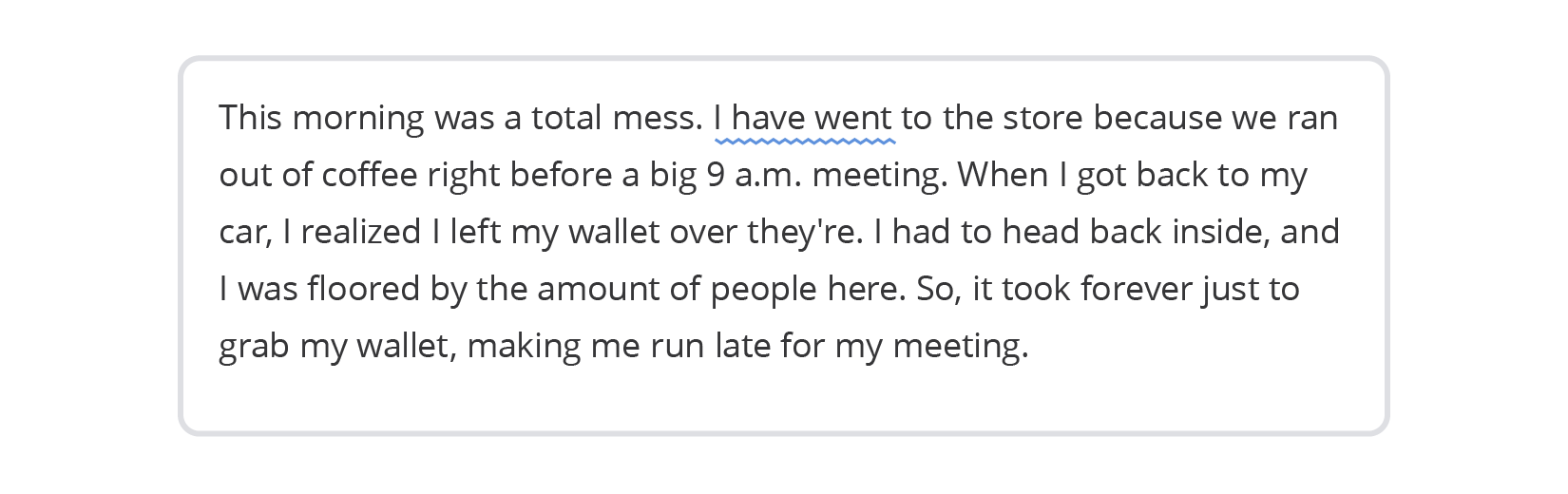
Google Chrome with Enhanced mode only caught one out of the four mistakes in our test text.
Edge
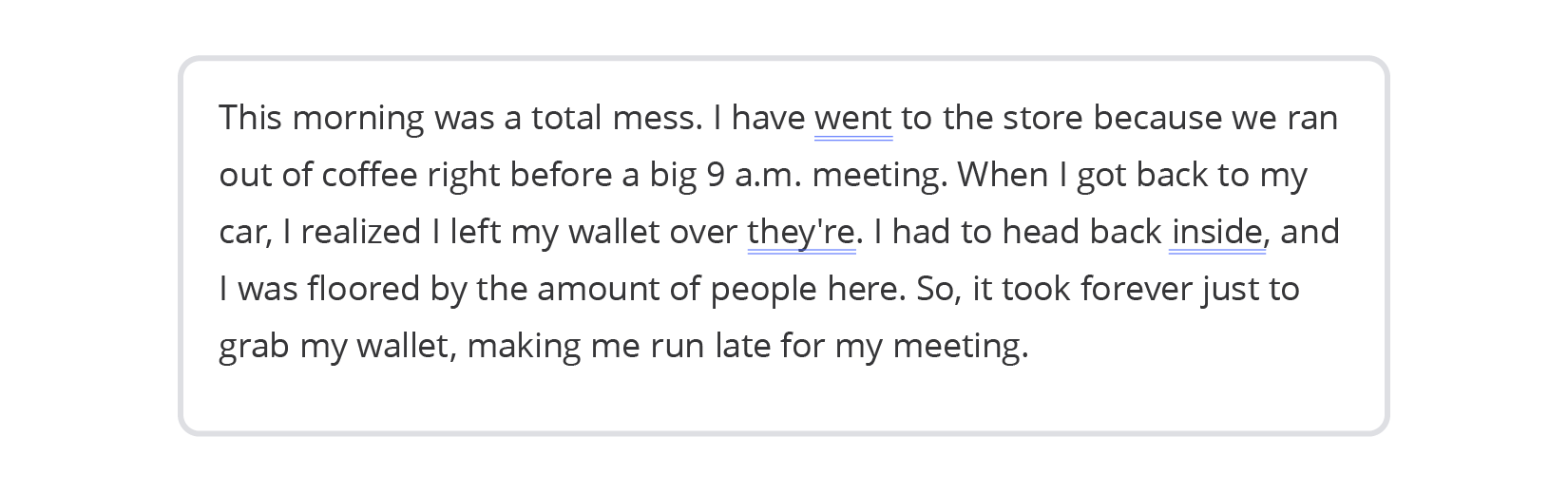
Edge caught two out of the four mistakes. It also suggests adding a comma after inside, which isn’t really necessary since these are two simple sentences joined by and. At the same time, it misses the more significant mistakes.
Firefox
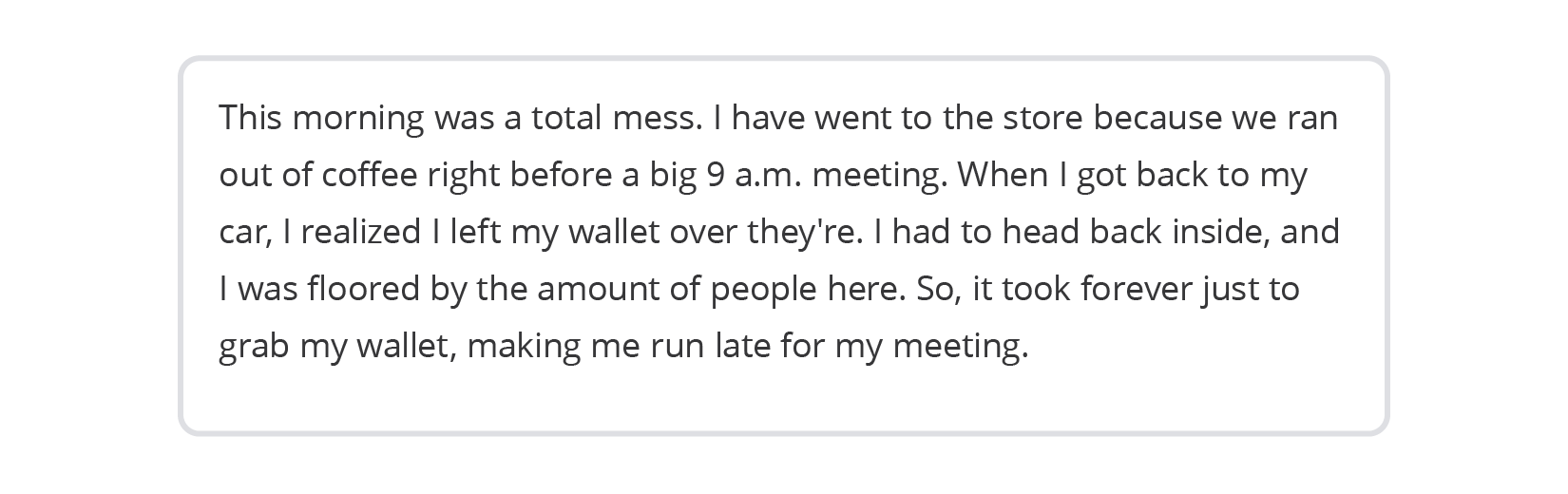
Firefox was unable to detect any errors we made in our text.
WProofreader
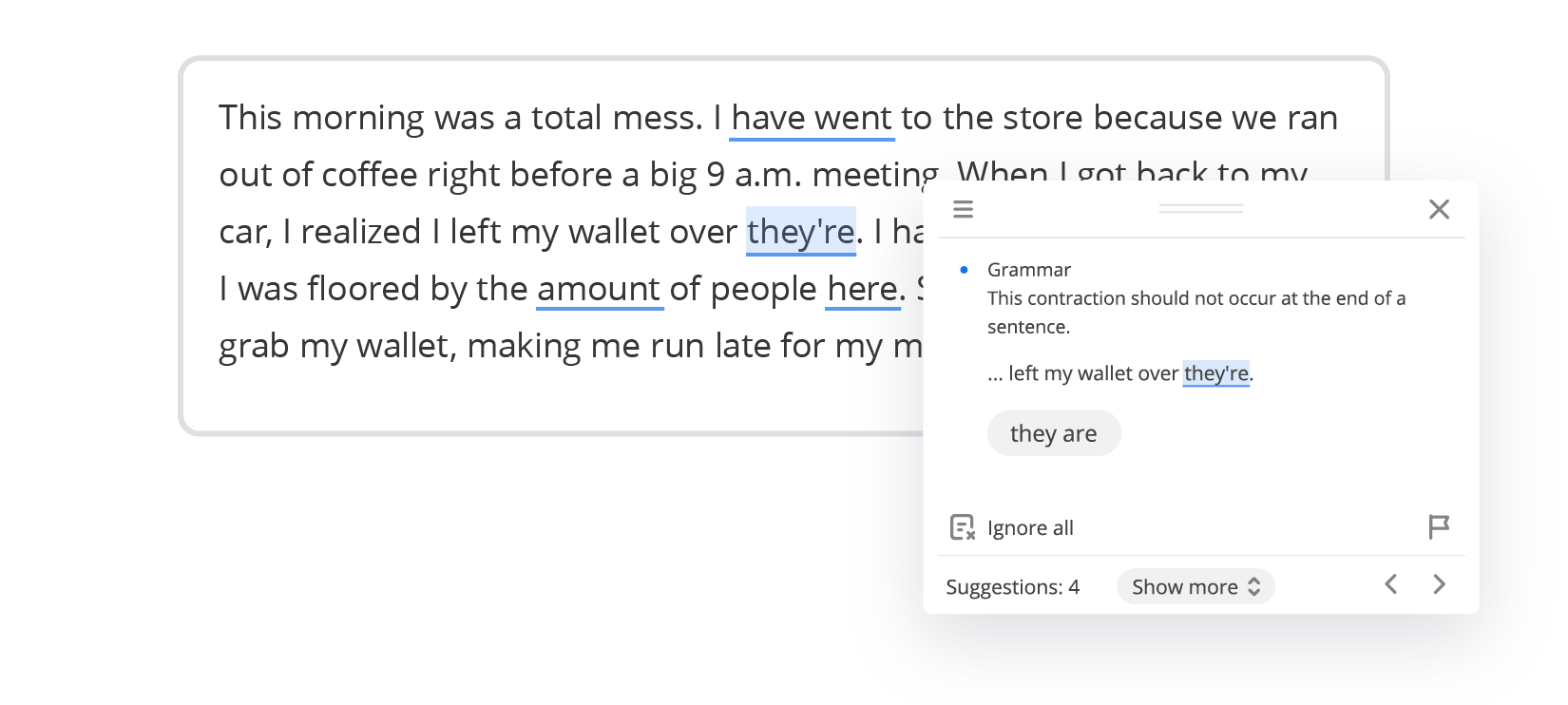
WProofreader identified all four errors, correctly flagging each mistake we included.
This is only a small part of WProofreader’s functionality, which you will benefit from using this text checking tool. You can explore the other features yourself in our demo.

WProofreader browser extension
Free for individual users and 14 days-trial for business users.
Explore moreSummary
- Most popular browsers come with built-in spellcheckers. They handle spelling and grammar, support multiple languages and allow creating custom dictionaries for your device. Some, like Google Chrome and Edge, offer enhanced modes that can also suggest advanced grammar and style corrections.
- However, these tools have clear limitations. They are tied to the settings of each browser on a separate device, so it is impossible to create a single standard for the entire team. For organization or professional environments, this lack of scalability, control and security makes the spell checkers built into browsers insufficient.
- WProofreader is a comprehensive solution for text editing. It combines real-time multilingual spelling and grammar checking with an AI-powered writing assistant. It’s an all-in-one tool for developers and organizations looking to integrate proofreading functionality into their products. The WProofreader browser extension is perfect for individuals or teams who write across multiple online platforms.
Want to find out how WProofreader can improve your work with text? Just let us know 😉
 Tech
Tech News
News