For years, LanguageTool was one of the most popular browser extensions for checking grammar and spelling. The free plan packed enough features to pull in casual users and entire teams who spent most of their day working with text.
However, generative AI growth pushed LanguageTool’s team to make a tough call: starting March 31, 2026, the extension becomes Premium-only.
For regular users, that hit like a cold shower 😢 Forums started filling up fast, and everyone kept asking the same thing:
What’s the best free alternative to LanguageTool?
Let’s try to answer this question together and find a high-quality alternative to LanguageTool extension.
Browser extensions similar to LanguageTool
There are several popular tools on the market, and each has its own pros and cons. Let’s take a look at a few options that are most often mentioned as alternatives to LanguageTool.
QuillBot
LanguageTool promotes its sister brand, QuillBot, as a free alternative. The extension runs in your browser and handles grammar checking across multiple languages.
The free plan does come with strings attached though. Hitting the full feature set means paying for Premium.
| Feature | Free | Premium |
| Grammar fixes | 6 languages | Full access |
| AI text generation | 125 words/day | Unlimited |
| Paraphrase modes | 2 modes (Standard, Fluency) | 9 modes, unlimited |
| Dashboard analytics | No | Yes |
Grammarly
Grammarly is probably the most recognizable name on this list. The tool recently expanded beyond English and now handles grammar, spelling and style checking across multiple languages.
The free plan keeps things pretty basic though. You get core grammar and spelling checks, plus limited access to AI paraphrasing. Anything beyond that sits behind the paywall.
| Feature | Free | Premium |
| Grammar fixes | Basic spelling and grammar only. Style suggestions and part of the corrections are Premium-only. | Full access to all recommendations |
| AI text generation | 100 prompts per 2 weeks | Up to 2,000 prompts |
| Paraphrase modes | Limited | Full sentence rewrites |
| Dashboard analytics | No | Yes |
If you’d like to see a detailed comparison of WProofreader and Grammarly, check out our previous article.
WProofreader
WProofreader checks grammar, spelling, punctuation, and improves your writing style instantly in 20+ languages, including AI-driven English, German, and Spanish.
You can use it to proofread emails, documents, posts, or any web content right in your browser. On the free plan, your text is checked via our secure cloud.
Corporate users can access additional features and request self-hosted deployment if needed within a Business plan.
No matter which WProofreader version you pick, you’ll benefit from all the features you need for comprehensive text editing:
- Real-time correction in 20+ languages, including AI-based English, German, and Spanish;
- Autocorrect and autocomplete features;
- Automatic language detection;
- Organization-wide and user custom dictionaries;
- Medical dictionary for English, Spanish, French and German;
- Legal dictionary for English and its dialects;
- Style suggestions for non-inclusive language, profanity, dialect variations, anglicisms and other tone issues.
- Style guide builder with customizable rules for your whole team or organization;
- AI writing assistant 🪄 It is a human-trained paraphrasing and content generation tool. We have put significant effort into creating and testing predefined prompts for various text operations. It helps you take your writing even further: rewrite, paraphrase or summarize in just a few clicks. Available in English, German, Spanish, Portuguese, French, Dutch, Swedish, Danish, Norwegian Bokmål and Italian, Polish and Ukrainian—with more tone and style options coming soon!
- The analytics dashboard gives you a clear, readable picture of how WProofreader is used in real workflows. You can see the overall word volume your team processes and how often features like autocorrect step in to help.
You can try out most of these features in our demos.
WProofreader also keeps your data safe. All text is encrypted and stored on secure servers. We follow GDPR and HIPAA standards to make sure your information stays private.
Let’s see how these spellcheckers handle real-world texts across different languages and find out whether WProofreader can become a free replacement for LanguageTool extension.
WProofreader vs LanguageTool extension for English, German and Spanish
For our test, we’re using a few real examples in English, German and Spanish.
We’re checking how the free version of each tool handles spelling, grammar, and style.
German
Original sentence:
Ich gehe jetzt ins Bett, weil ich aufstehe morgens immer schon um 6 Uhr.
This sentence breaks word order in a subordinate clause. In German, after weil, the verb should go at the end. Also, placing morgens here sounds off and disrupts the natural flow.
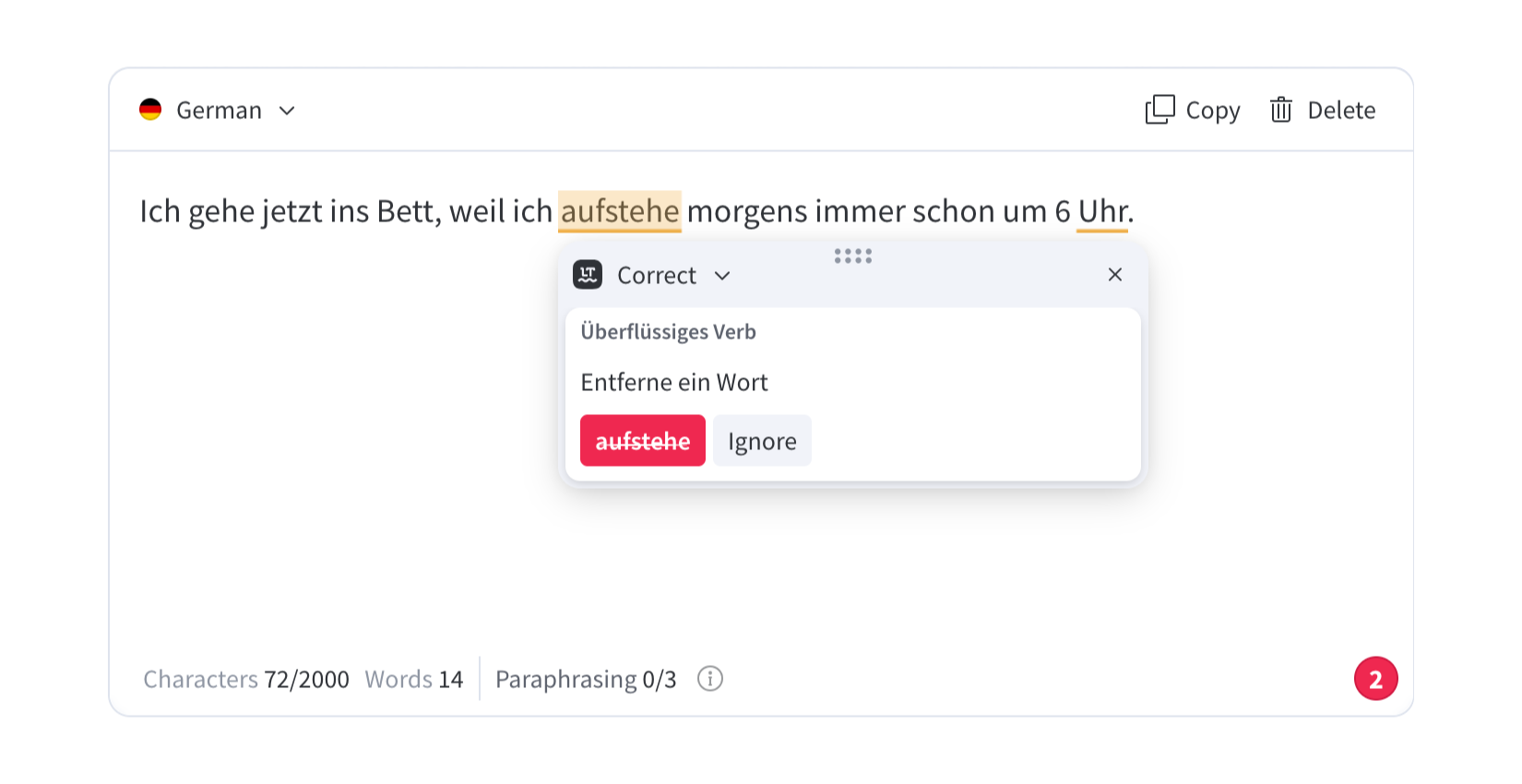
LanguageTool fixes the sentence correctly and moves the verb aufstehe to the end. The final result follows German grammar rules.
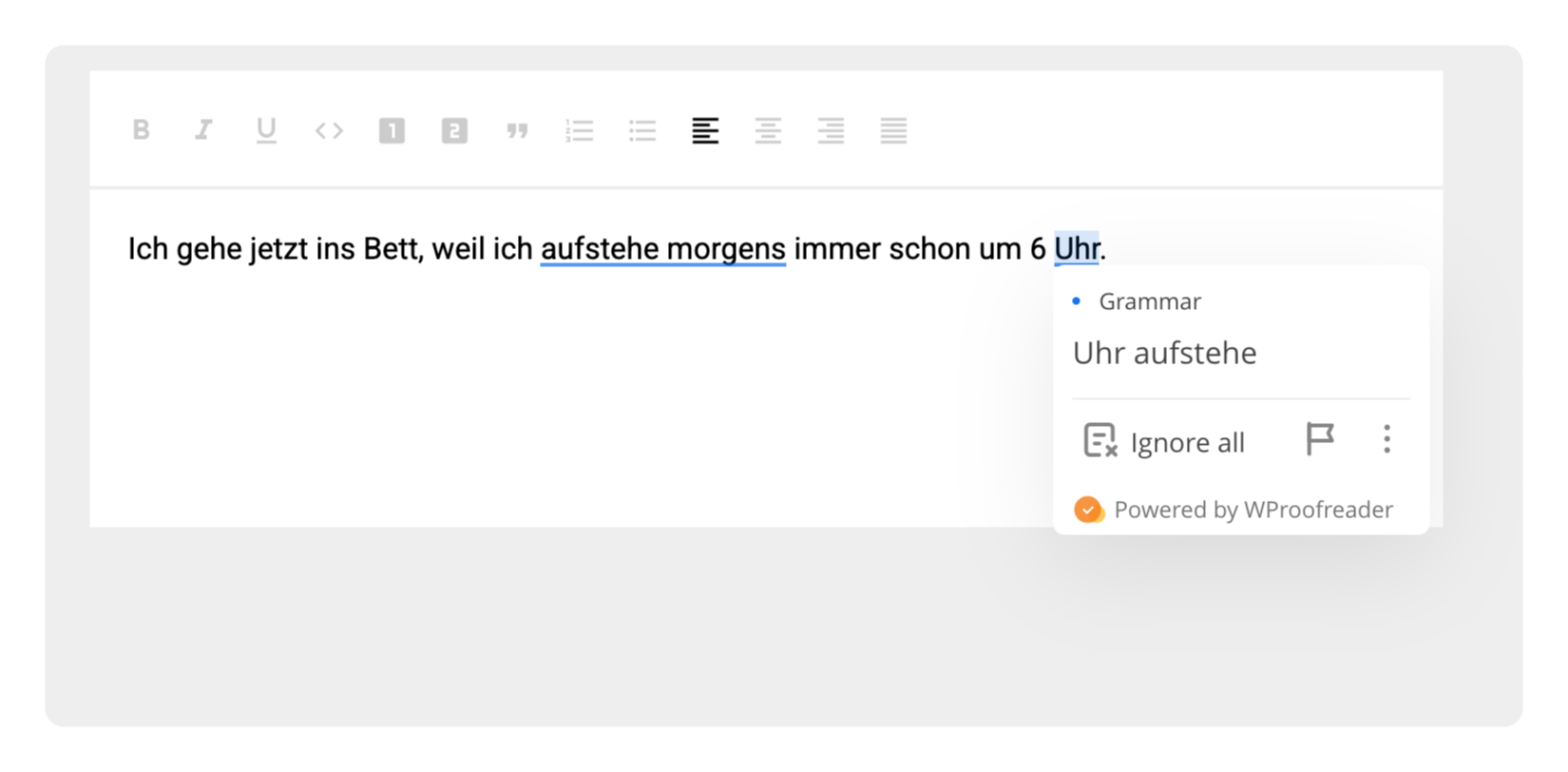
WProofreader moves the verb aufstehe to the end, following standard German grammar rules for subordinate clauses. It keeps the rest of the sentence in a natural order, making the final result correct and easy to read.
English
Original sentence:
The childrens’ toys are everywhere.
This sentence mixes up plural and possessive forms. The word children already works as a plural noun, so adding -s makes it incorrect.
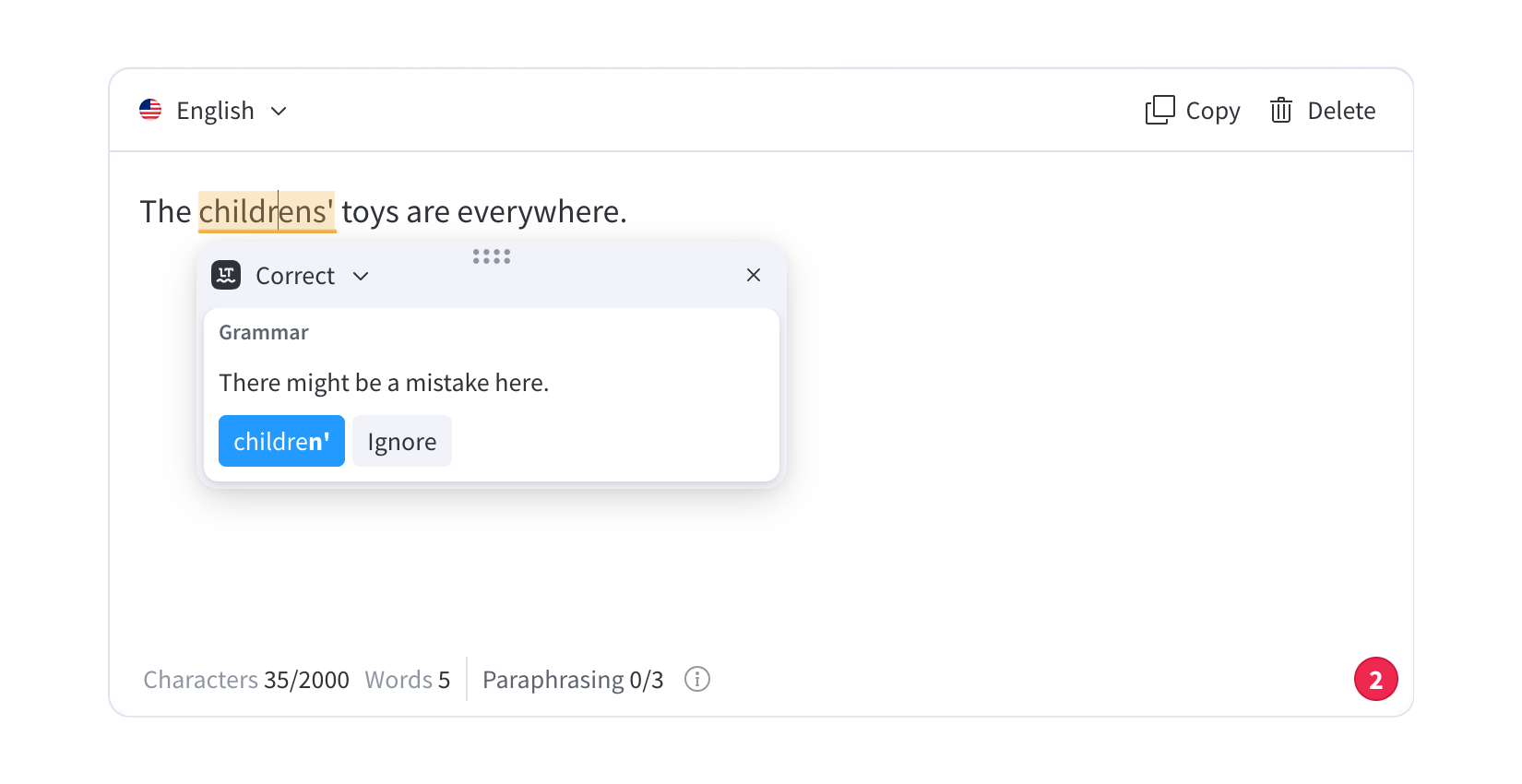
LanguageTool removes the extra s, but places the apostrophe wrong. The possessive form still doesn’t follow standard English rules.
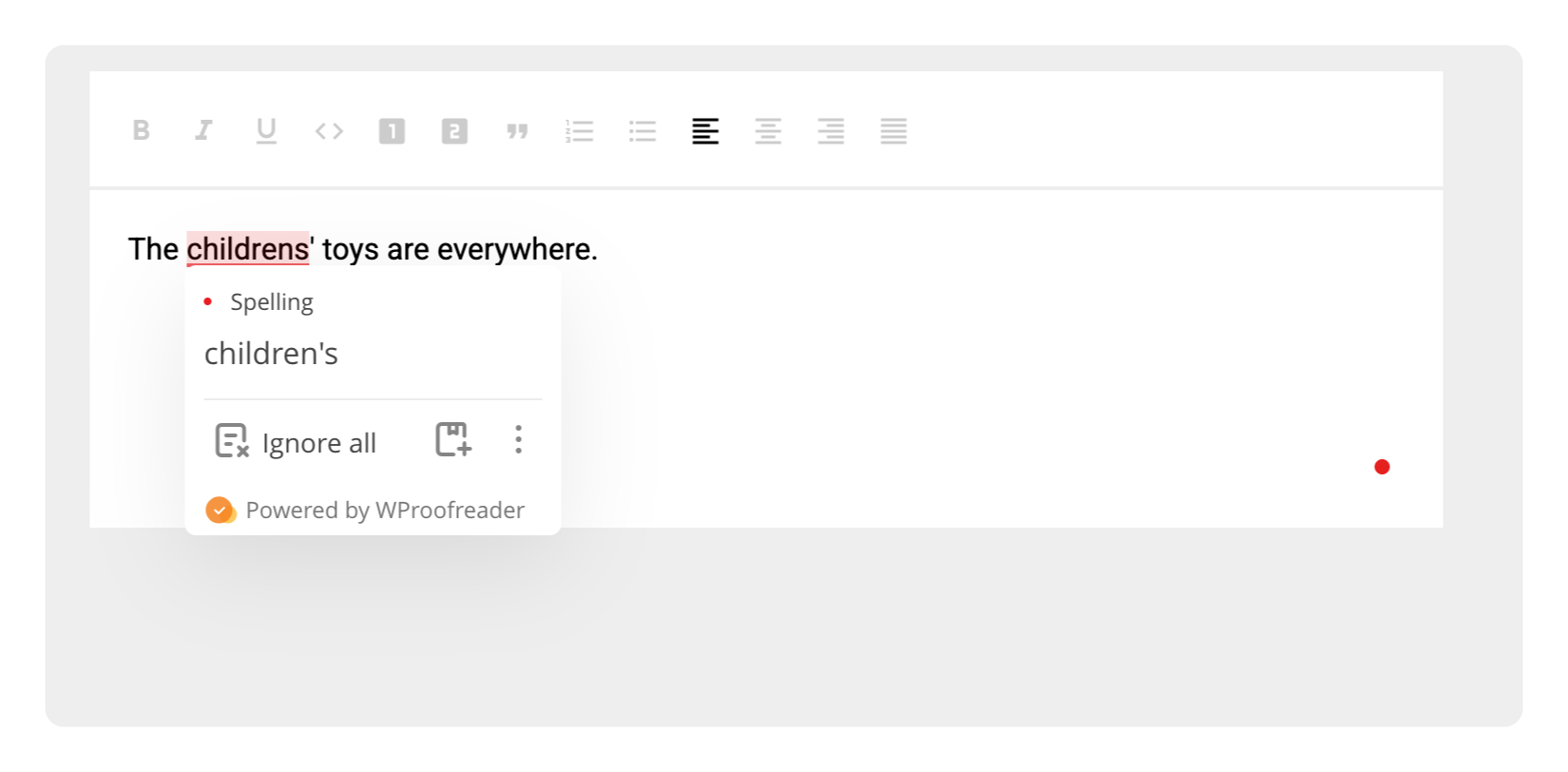
WProofreader uses the correct plural form children and adds the possessive ‘s in the right place. The sentence reads naturally and follows standard grammar rules.
Spanish
Original sentense:
¿Cómo que estás?
This sentence misses the correct accent. In this context, qué should have an accent mark, since it introduces a question with emphasis.
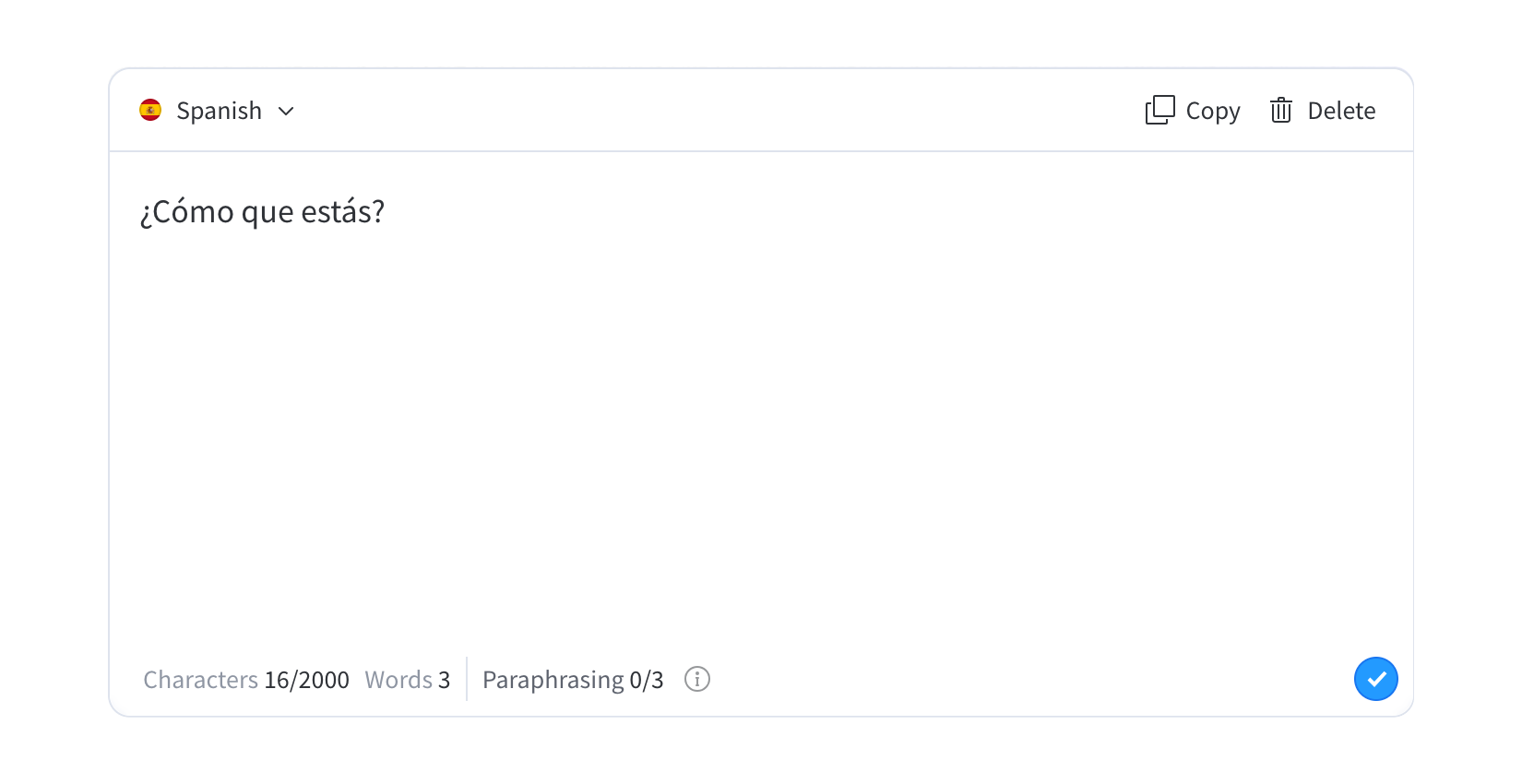
LanguageTool doesn’t suggest any fix here. It misses the error, even though it’s a basic one and affects the correctness of the sentence.
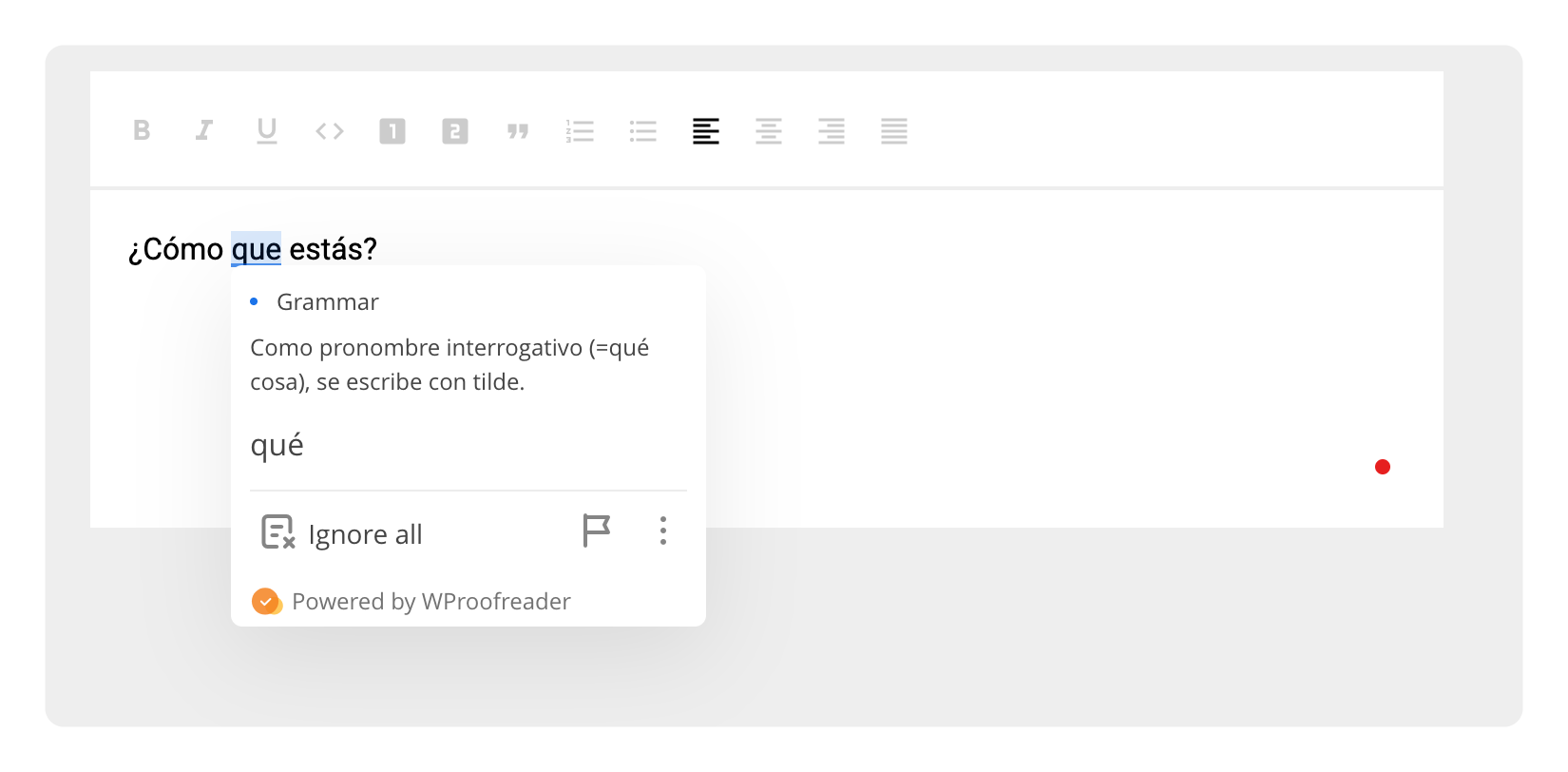
WProofreader adds the correct accent to qué, fixing the meaning and making the sentence grammatically correct.
Across all three examples, we still see a clear pattern. In some cases, LanguageTool handles errors correctly, as we saw in the German example. But in other cases, it either fixes things only partially or misses important issues that affect meaning and grammar.
WProofreader stays more consistent across all examples. It catches the full issue, follows language rules, and gives a clean and complete correction in each case.
Let’s sum it up.
Summary
- LanguageTool updated its browser extension model, which led many users to reconsider their current setup and look for other options.
- There are several alternatives available. Most offer a free plan, but access to advanced features is usually limited to paid versions.
- WProofreader stands out as a practical option for everyday use in the browser. It supports multiple languages and checks spelling, grammar, and style in real time across different types of text you write online. The free version includes full access to core features, including autocorrect, autocomplete, and AI writing assistance. It handled all the example errors, making it a good alternative to LanguageTool.
Got questions or want to add WProofreader to your project? We’re here to help.
 Tech
Tech News
News