

AI already feels like a normal part of everyday life. But with every new leap, it’s getting harder to tell where human effort ends and machine input begins 🤨❓🤖
Industries like journalism and academic publishing are already feeling the pressure from the flood of AI-generated content. By 2025, nearly half of all writers plan to use generative AI for their work.
That’s why industry standards are becoming stricter every day: clients, publishers, and employers all want “100% human content.” Search engines push AI-heavy pages down and even social networks can flag accounts that rely on neural tools.
At the same time, writing everything by hand takes time and costs a lot. The winners are the ones who’ve learned to mix AI with a human touch. If you learn to strike the right balance, you’ll create trustworthy, engaging content while working much faster and more efficiently.
Let’s talk about how it actually works 👇
Current market situation with AI detection and humanization tools in text checkers
Right now, the market is full of tools designed to spot AI-generated text. These detectors act like a digital magnifying glass, scanning text for patterns that usually show a machine written it. You may have heard of some of them, such as ZeroGPT, QuillBot or Decopy.ai.
The software scans text and looks for patterns typical of AI writing, like repetitive phrasing, overly regular sentence length, or vocabulary that feels too predictable. Based on this, the AI detector gives a score or flag showing how likely the text was generated by AI. Some tools even explain their reasoning, pointing out the exact parts that raised suspicion.
Researchers have already studied the most common patterns AI uses when writing. The main signs of AI-generated text are:
| AI pattern | Example |
| Overusing punctuation (;, :, —) | I went to the store—bought apples, oranges, and bananas—and then I went home. |
| All sentences with the same average length | Artificial intelligence currently occupies a crucial part in various aspects of modern life. This technology is being actively implemented across the education, healthcare, transportation, and commerce sectors. |
| Overusing Title Case in titles | How to Write Naturally with AI Tools |
| Redundant emojis or lists | I really love fast food 😍My favorite is: • Hot dogs🌭 • Hamburgers 🍔 • French fries 🍟 |
| Repetitive vocabulary | This groundbreaking technology is being actively implemented across numerous sectors […] This technology provides enhanced efficiency and improves overall workflow optimization. |
| Speaking in general terms and not adding real life examples | According to many sources, the information can be reliable. These are common situations that you can encounter in everyday life. |
| Discourse markers or conjunctions | Firstly, technology has changed the way people communicate. However, it has also created new challenges related to privacy. While many enjoy the convenience, others worry about data security. |
| Too formal, not casual | I am writing to convey my observations on the growing significance of Artificial Intelligence (AI) in shaping various aspects of modern life. |
| Using “it is” sentences to introduce statements or opinions | It is important to understand how technology affects communication. It is also clear that these changes have both positive and negative sides. |
| Overusing passive voice | The presentation was prepared by the team, and the feedback was collected by management. |
These rules aren’t set in stone, just like AI detectors aren’t foolproof. They often can’t distinguish humans from machine writing because each AI has its own distinct style. So, if the detector hasn’t seen that model before, it won’t recognize it. Some researchers even compare these tools to a coin flip—they’re right only half the time.
This happens because modern AI often writes more cleanly than most people, aiming for “perfect” phrasing. Even humans have a hard time detecting AI-written text, unless there are fake facts or inconsistencies.
Take the em dash dilemma, for example. It’s a normal punctuation mark, though rare online because people use hyphens instead. But since AI tends to use long dashes a lot, texts with them often get flagged as AI-written, even when a real person wrote them.
Even so, AI detection tools still give valuable insights into text style and quirks. They show you where you can tweak your content to make it feel more natural.
Meanwhile, “humanizer” tools like Humanize AI are growing fast. They rework machine-generated text, adding emotion, rhythm and variety. Together with detectors, they form a new layer of content control, helping writers keep AI’s speed while sounding genuinely human.
And that’s where modern spellcheckers and writing assistants come in. They not only fix grammar but also generate text and check whether it looks AI-written. For anyone who works with words a lot, this is a huge time-saver. It’s a full text-content toolkit 🤩
Next, we will show you several text-checking tools with rewrite features and test how well they process text.
AI text detectors and humanizers in text checkers
Let’s ask popular digital spellcheckers to use their generative AI features to shorten our demo-text.
Hey team so we got this meeting today need to talk about results like overall quarter stuff sales seem kinda fine but also not really and efficiency of the department some questions too so yeah we gotta go through that. Then also new projects are starting I don’t really get what stage they are at like maybe just started but anyway need to check. Also I wanted us to make a plan at least for next month cuz right now it’s not clear who’s doing what and what we even do next. And in general I guess we should go over tasks again cuz not everything’s closed and there are delays.
We’ve selected the “Shorten” prompt, since almost every tool has it. This helps us see how “clean” their AI writes on its own. For this experiment, we’re sticking to the free version with the features available as of October 2025.
After that, we’ll check the AI-generated texts inside the same spellcheckers, if they offer an AI detection feature. Then we’ll test their output on independent software to see how it holds up. Lastly, we’ll compare the results in the table.
WProofreader
WProofreader is a secure, multilingual spellchecker. Besides the usual grammar and spelling checks, it also comes with an AI writing assistant 🪄
This AI-based rewriting tool is trained with human input for content generation and paraphrasing. We’ve spent a lot of time creating and testing ready-to-use prompts for different text tasks. It saves you time on manual edits and speeds up writing documents or creating content. It also helps keep your communication smooth, stick to your company’s style and look professional in every message.
This feature is available for English, German, Italian, Spanish, Portuguese, French, Dutch, Swedish and Ukrainian.
To use the AI writing assistant, just highlight a piece of text (minimum 100 characters) and click the magic badge. Then pick a prompt from the list to work with your text:
- Shorten
- Expand
- Rewrite
- Improve
- Make formal
- Make informal
- Summarize
- Proofread
All of these text operations include built-in instructions to avoid common AI patterns, like repetitive phrasing, overly regular sentence structures and predictable word choices. This keeps your content sounding more natural.
Soon, we’re also going to roll out a new operation like “Make human”. It will let you take any AI-generated text and rewrite it with more natural phrasing and conversational flow. So your writing truly feels like a human writing it.
Now let’s see how WProofreader shortens the demo text:
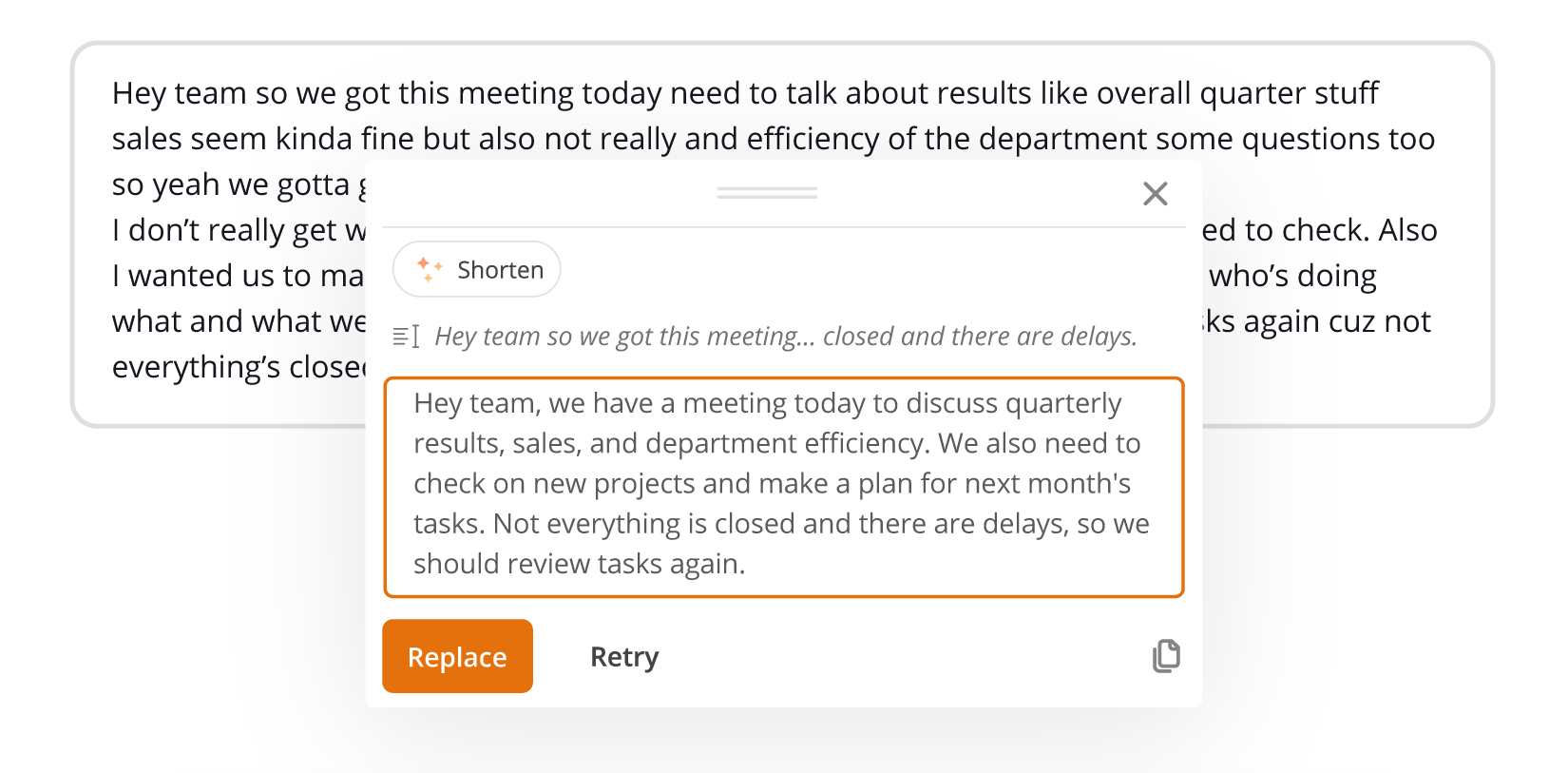
Also, we’ll test the result on ZeroGPT, to see how human-like the text really is.
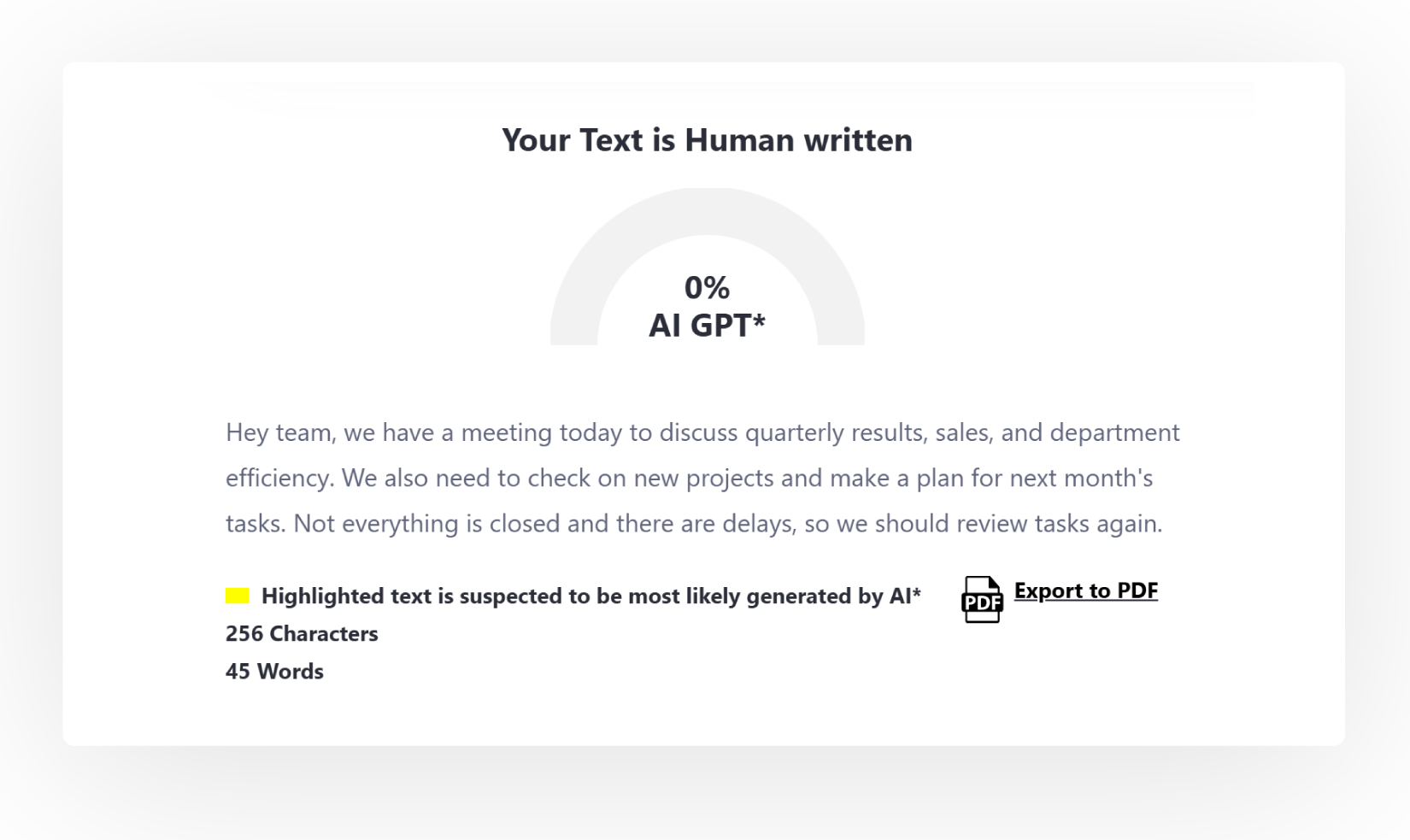
The result looks good: the detector gave 0%. But different services may give different results, because they rely on different algorithms and training data.
Our goal is to make sure that using WProofreader’s AI rewrite feature doesn’t raise your text’s ‘AI score’ compared to the original. That’s why we design carefully crafted instructions for our prompts, helping your text stay as natural as possible after processing.
Grammarly
You can use Grammarly’s generative AI both in the personal editor and in their browser extension. We obtained the following abbreviated text:
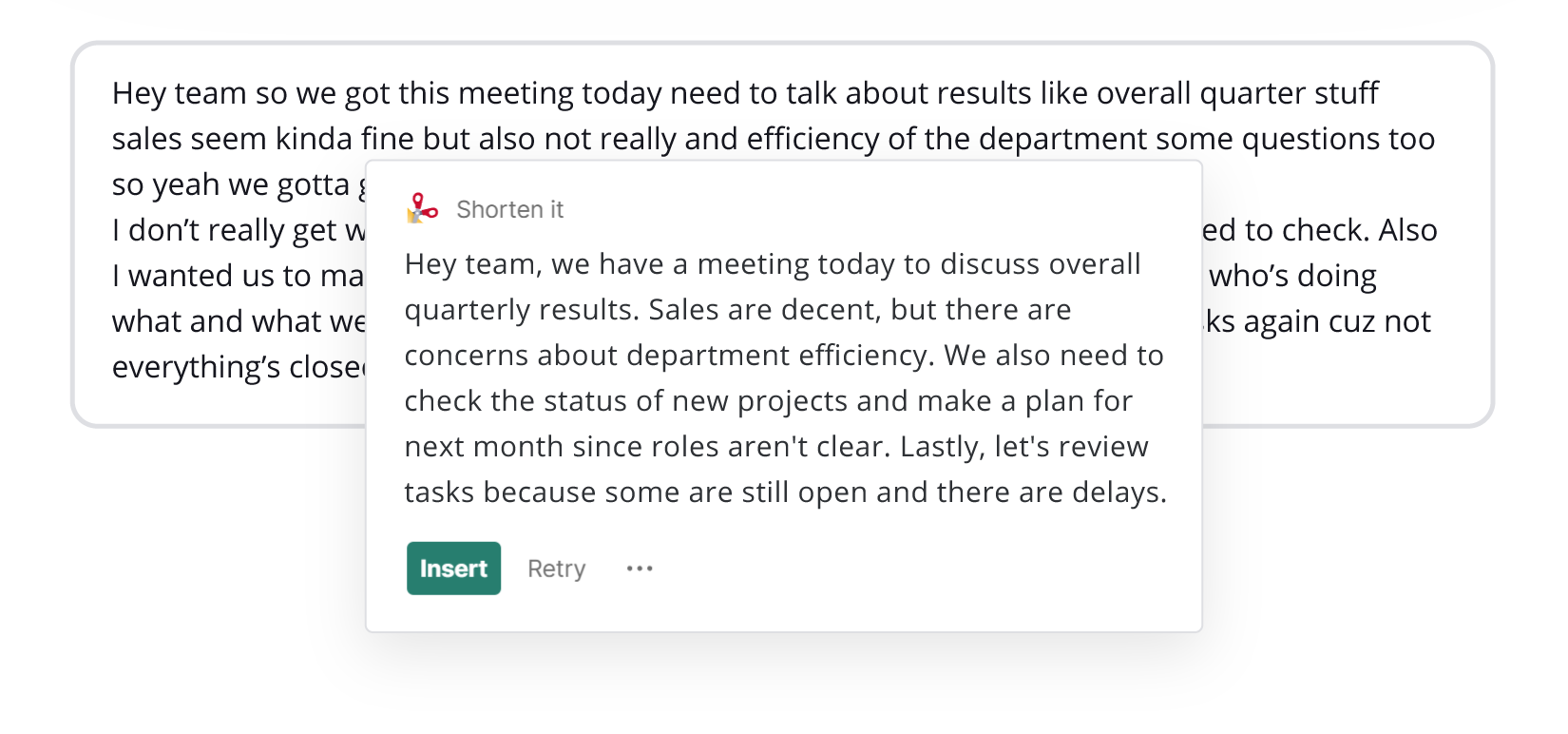
Grammarly also offers a Humanize AI feature directly on their website, as well as a Grammarly AI detector. Let’s test both the raw generated text and the text after using the humanizer.
We’ll begin by checking the text exactly as the AI produced it.
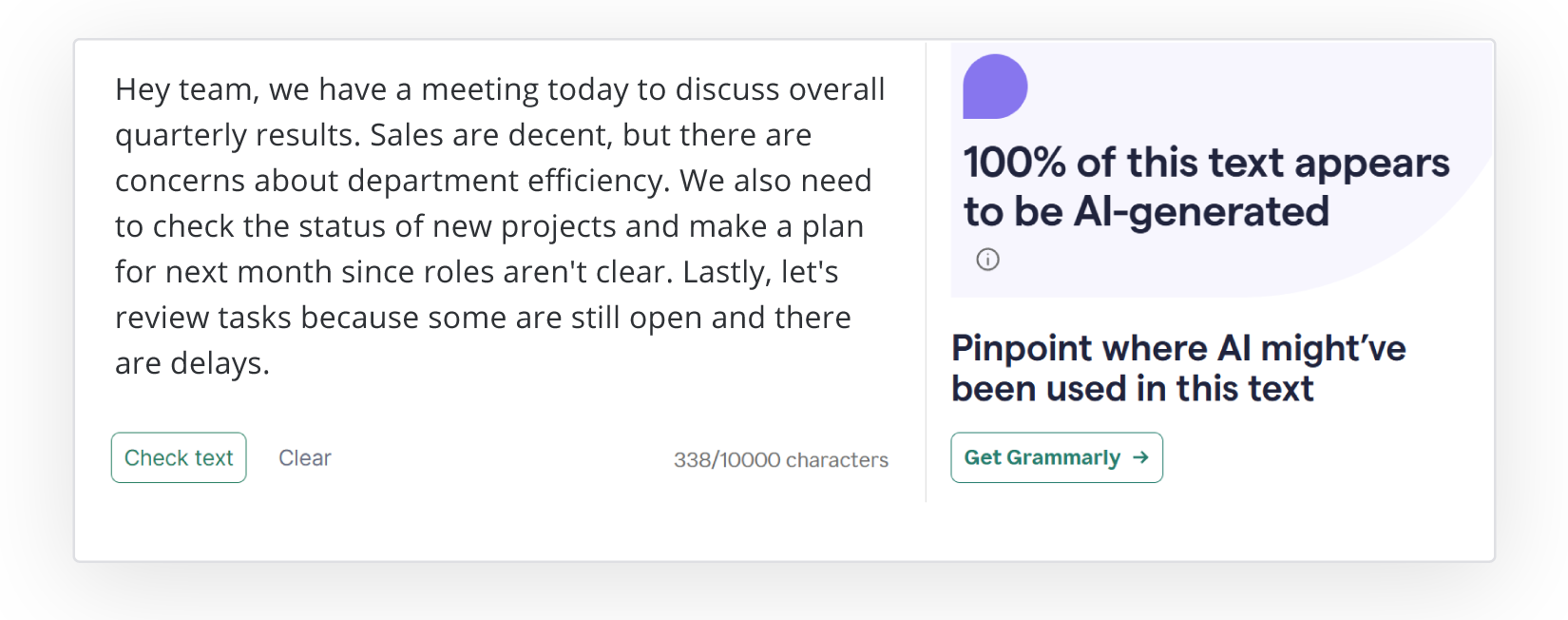
Next, we’ll check how the text scores after using the Grammarly humanizer.
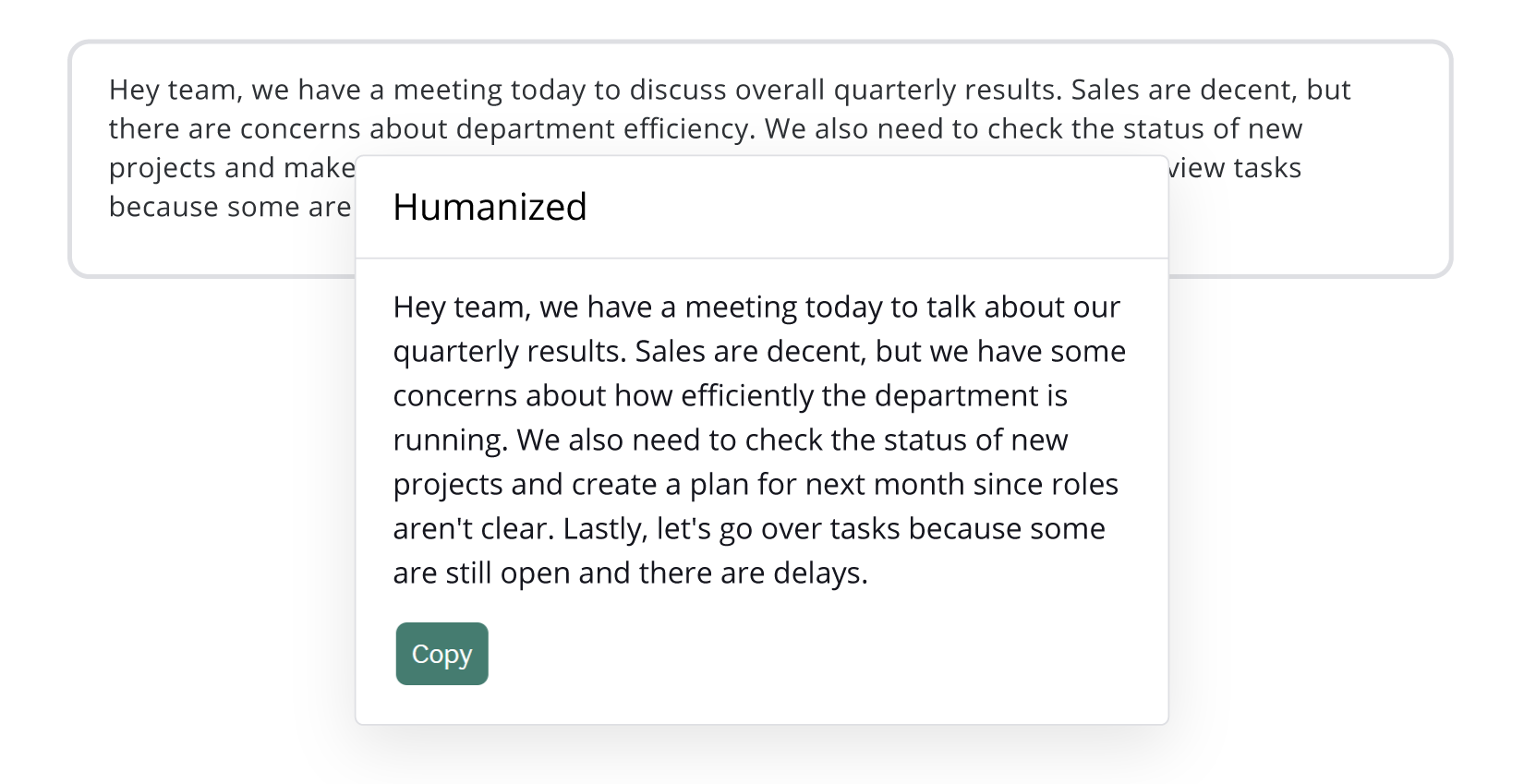
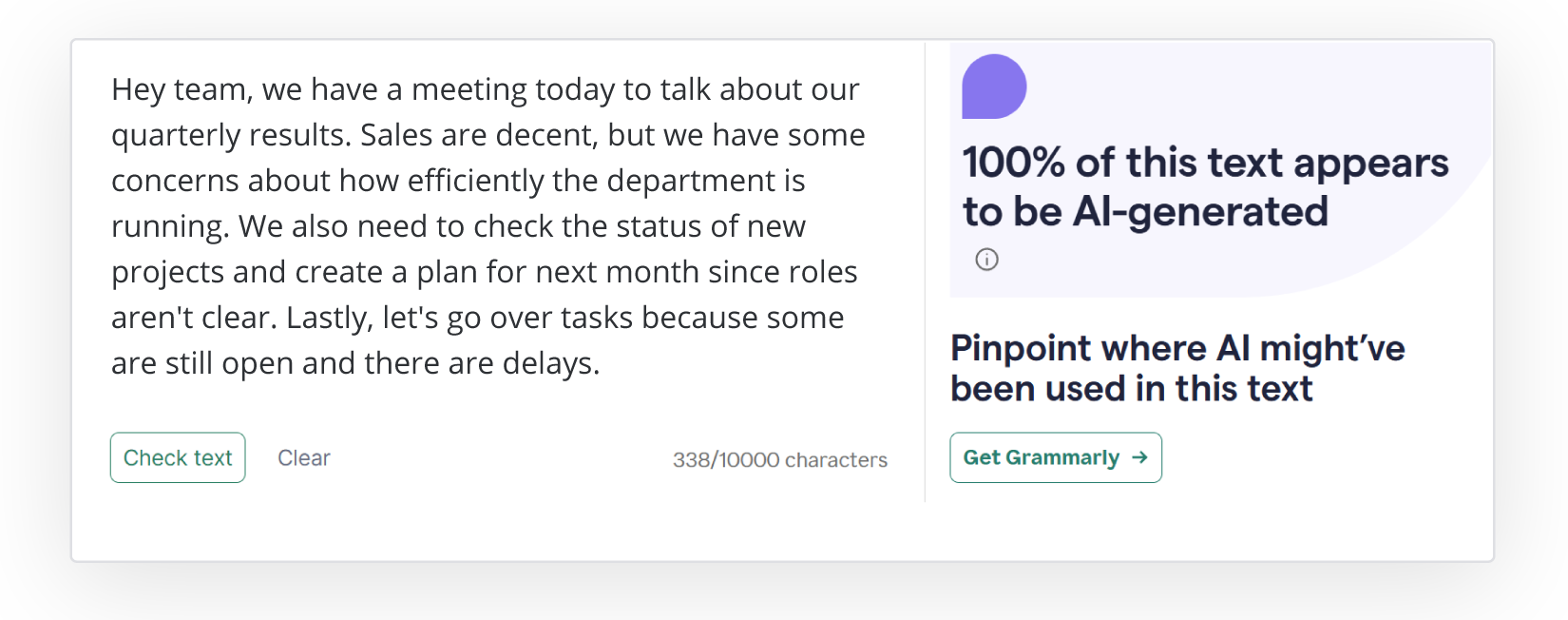
Grammarly flagged both the AI-rewritten text and the version processed with the humanizer as 100% AI-generated.
Humanizing feature can improve readability and style, but it doesn’t always make it completely “undetectable.” Detectors may still recognize underlying AI patterns, so it’s important to use these tools thoughtfully and not rely on them to fully mask AI involvement.
Writer
You can access Writer’s generative AI for free only on their website. If you want to use it as a browser extension, you need to pay for the Starter plan.
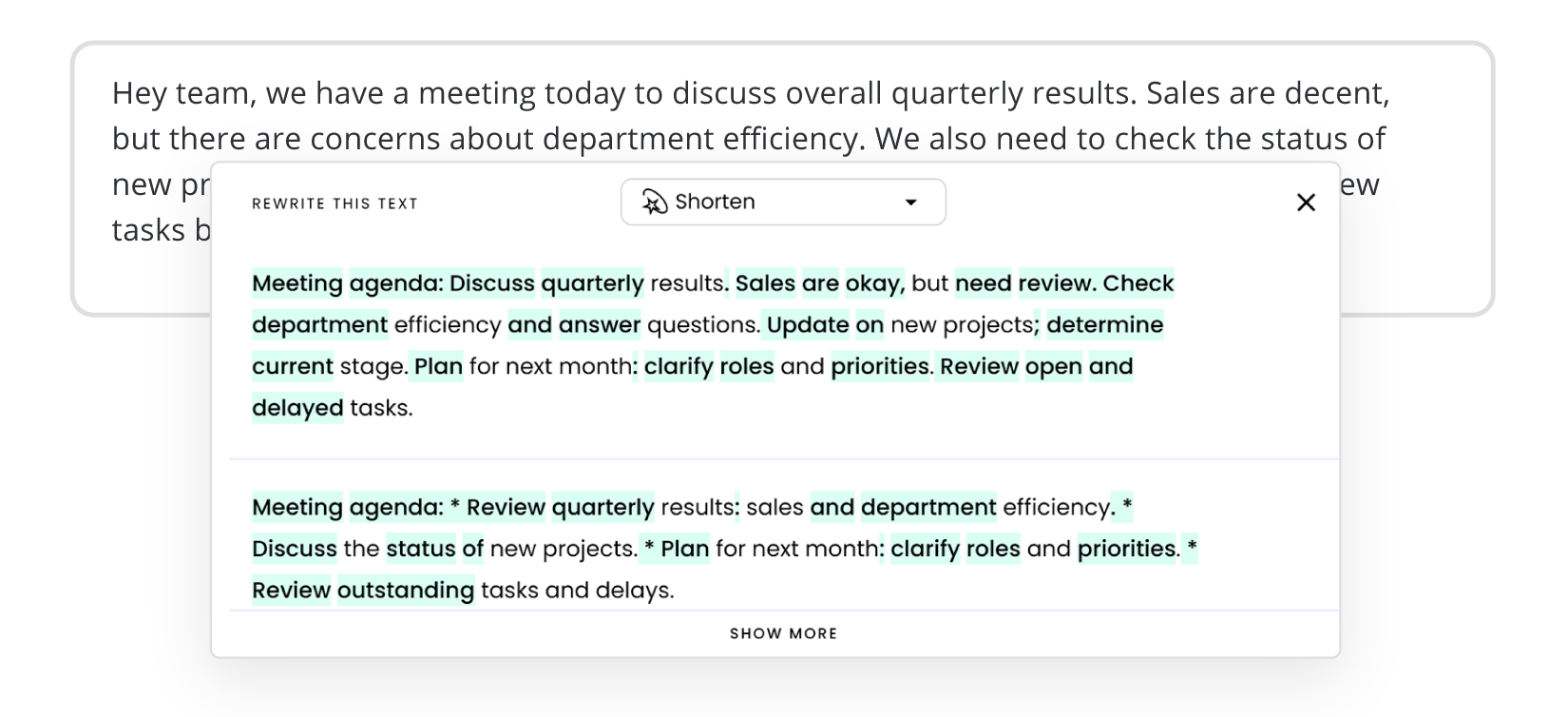
The result from Writer already shows clear signs of AI. It didn’t just shorten our text, it turned it into bullet-point takeaways, which is very typical for AI-generated content. In addition, it added stars as separate list items. Next, let’s see how this output fares on the AI detector that just like Grammarly, it works as an online tool.
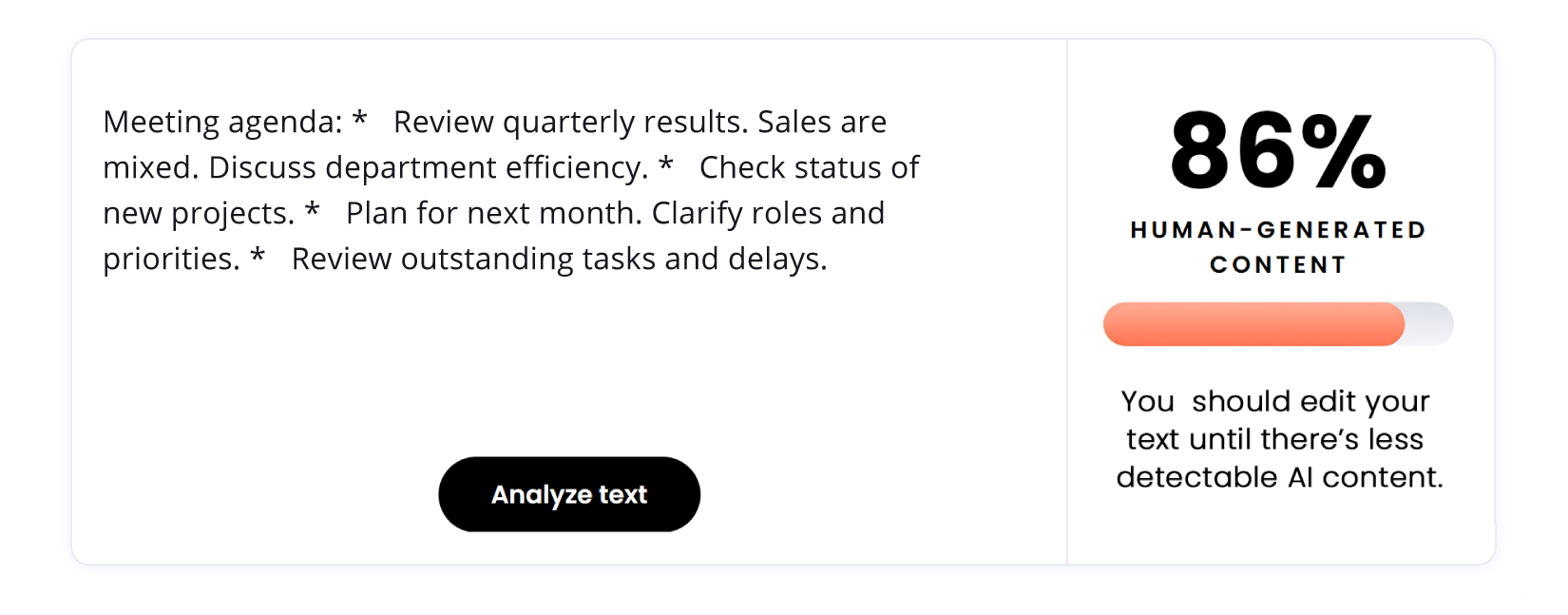
Even though the Writer output clearly shows AI involvement, the AI detector still scored it as 86% human. So, even when a text has obvious AI fingerprints, the score might give a misleading sense of authenticity. Therefore, relying solely on AI detector percentages doesn’t give the full picture, and it’s crucial to combine these tools with human judgment when evaluating content.
Let’s combine all the results into a table.
| QuillBot | ZeroGPT | Decopy.ai | |
| WProofreader | 0 % | 0 % | 32 % |
| Grammarly | 50 % | 0 % | 35 % |
| Writer | 81.82 % | 58 % | 52 % |
WProofreader’s carefully crafted prompts help keep AI detector alerts to a minimum when rewriting text with generative AI. This lets your writing stay natural and convincing for your readers. On top of that, WProofreader packs a full set of features that make handling text content easier, faster, and way more efficient.
WProofreader multilingual grammar check solution
WProofreader is a secure and all-in-one digital spellchecker that supports over 20 languages.
You can pick the version that fits your workflow best:
✅ WProofreader browser extension is a great choice for individual users who write documents, emails or other content in multiple languages. It checks spelling and grammar for both individuals and teams. On the free plan, your requests go through our cloud setup. When you decide to upgrade to the Business plan, you’ll be able to deploy it on your own servers.
✅ WProofreader SDK is for developers, small teams and large organizations. It’s a ready-made solution for spell checking in WYSIWYG editors like CKEditor, Froala, TinyMCE, and Quill, Tiptal and Syncfusion. You can also get it as a standalone API. Whether you prefer self-hosting (on-prem or in a private cloud) or prefer the cloud deployment option. It’s flexible enough to work with either.
With any version of WProofreader you choose, you will have access to:
- Real-time correction in 20+ languages, including AI-based English, German, and Spanish;
- Autocorrect and autocomplete features;
- Automatic language detection;
- Organization-wide and user custom dictionaries;
- Medical dictionary for English, Spanish, French and German;
- Legal dictionary for English and its dialects;
- Style check suggestions;
- Style guide builder with customizable rules for your whole team or organization;
- Multifunctional admin panel for managing and configuring WProofreader.
You can explore WProofreader’s features on our demo site.

WProofreader AI writing assistant
Rewrite and text generation for business and individual users.
Explore moreSummary
- AI detectors and humanizers are essential tools for anyone working with text today. They help writers spot AI-generated patterns, improve readability and make content feel more natural.
- Some digital spellcheckers offer the full package, including both AI detectors and humanizers. However, their AI-generated output often either triggers their own detector or fails checks on independent detection tools. This shows that even with built-in features, it’s still important to test and refine your text carefully.
- With WProofreader’s AI writing assistant, your text won’t sound like it was written by a bot. Each rewrite follows smart prompts that avoid common AI patterns and keep your content natural. Our goal is simple: when you use WProofreader’s AI rewrite feature, your text shouldn’t score higher for “AI content” than your original. We craft every prompt with that in mind, making sure your writing stays authentic, human-like and convincing even after processing.
Looking to see how WProofreader can boost your text quality? Contact our team 😉
 AI
AI


 Tech
Tech